
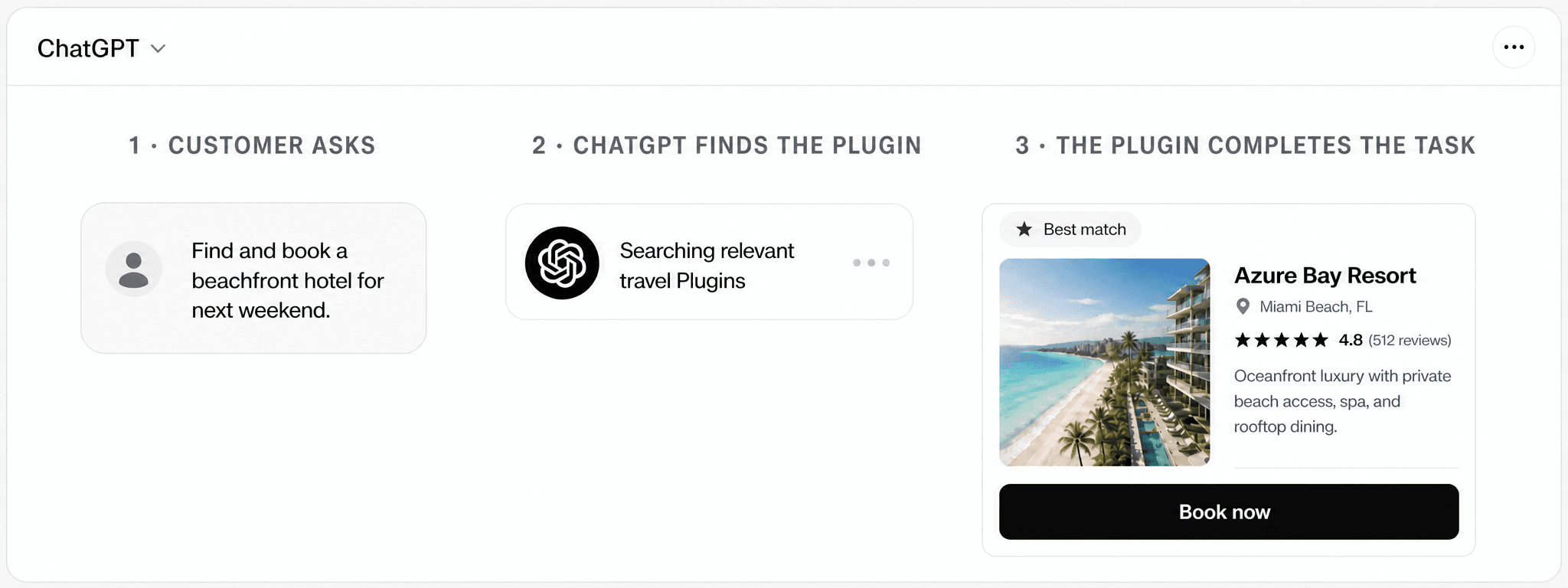
TL;DR
- ChatGPT and Claude now have product directories. Customers can find, connect, and use products inside the assistant.
- Products can also surface organically. For some Prompts, the assistant can suggest a relevant product even when the customer does not know its name.
- Your Brand can become part of the answer. When selected, your product can return useful results and actions inside the conversation.
App Directories Are the First Surface
Think of these directories as an app store inside the AI assistant. ChatGPT has a Plugin Directory. Claude has a directory for Connectors.
A customer can browse or search the directory, open a product page, connect the product, and give it permission to help with a task. Directory presence is the first way a product becomes usable inside the assistant.
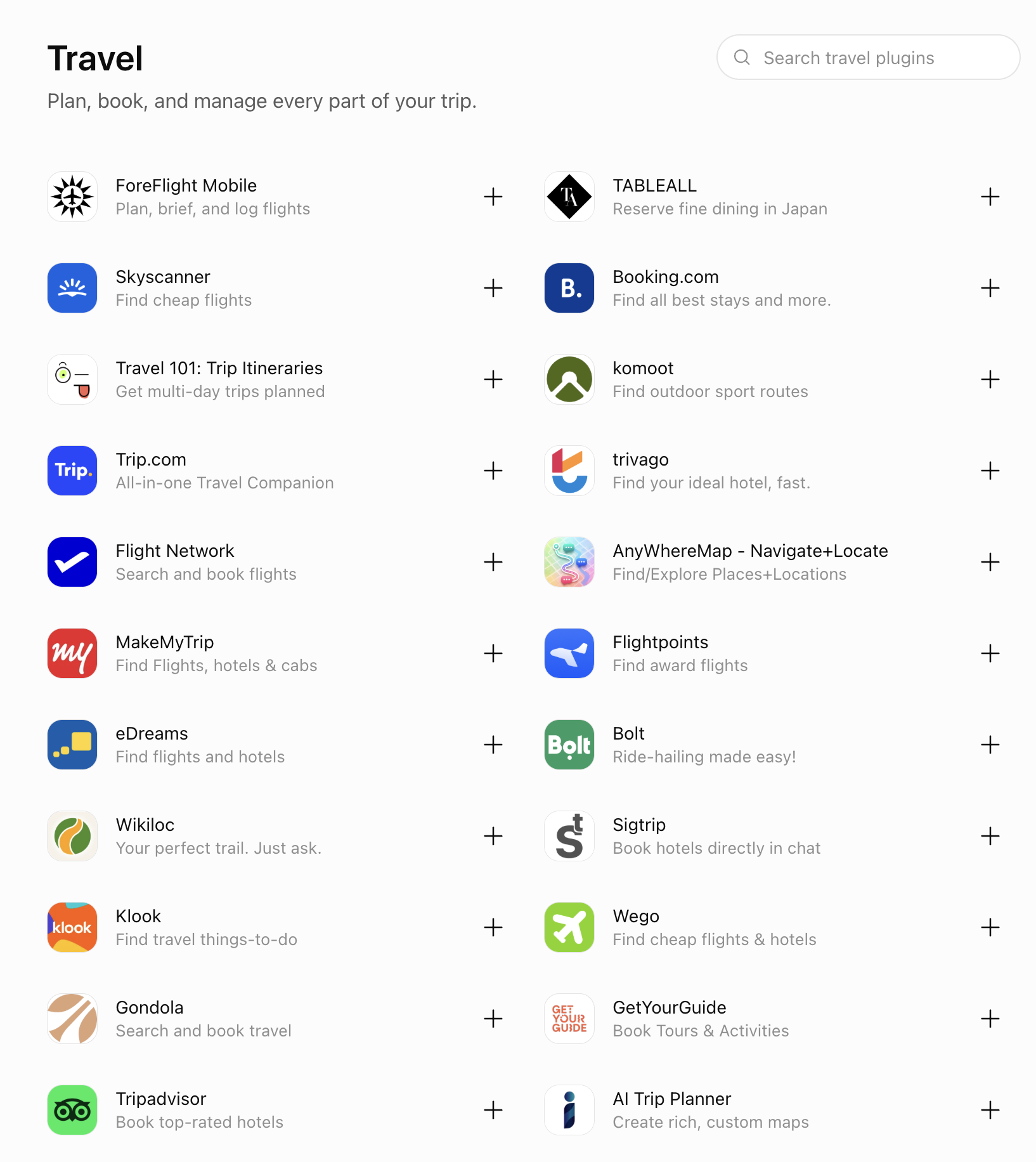
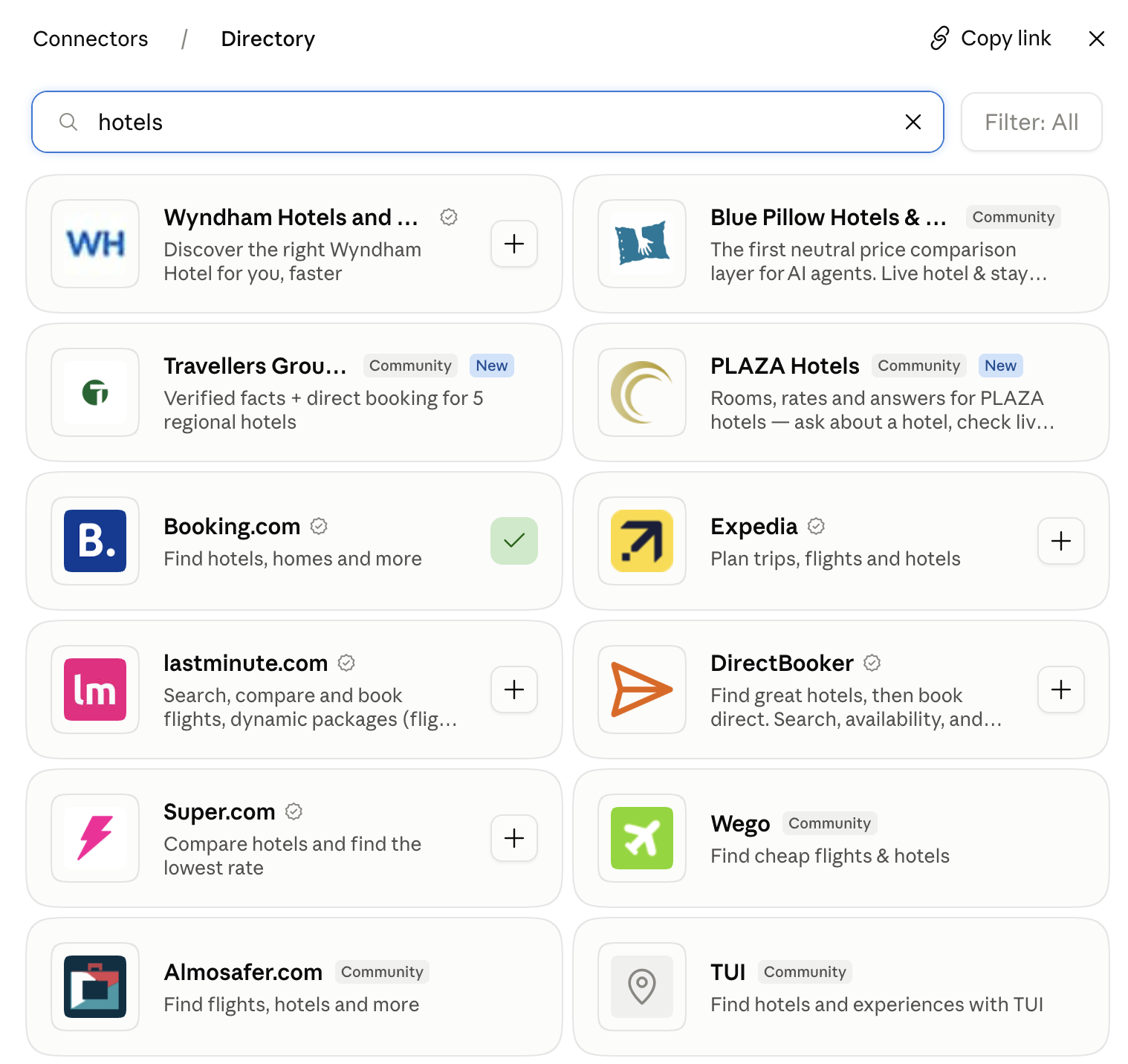
A directory listing matters because it gives the assistant a callable product surface. In our domain, that surface is an Integration: a secure endpoint that lets an AI assistant use a Brand's capabilities.
Organic Discovery Changes the Journey
A directory still depends on the customer knowing what to search for. Organic discovery creates a larger opportunity.
A customer may not know your Brand or visit the directory. They may only describe the outcome they want. For some eligible Prompts, ChatGPT or Claude can surface products that match that need inside the conversation.
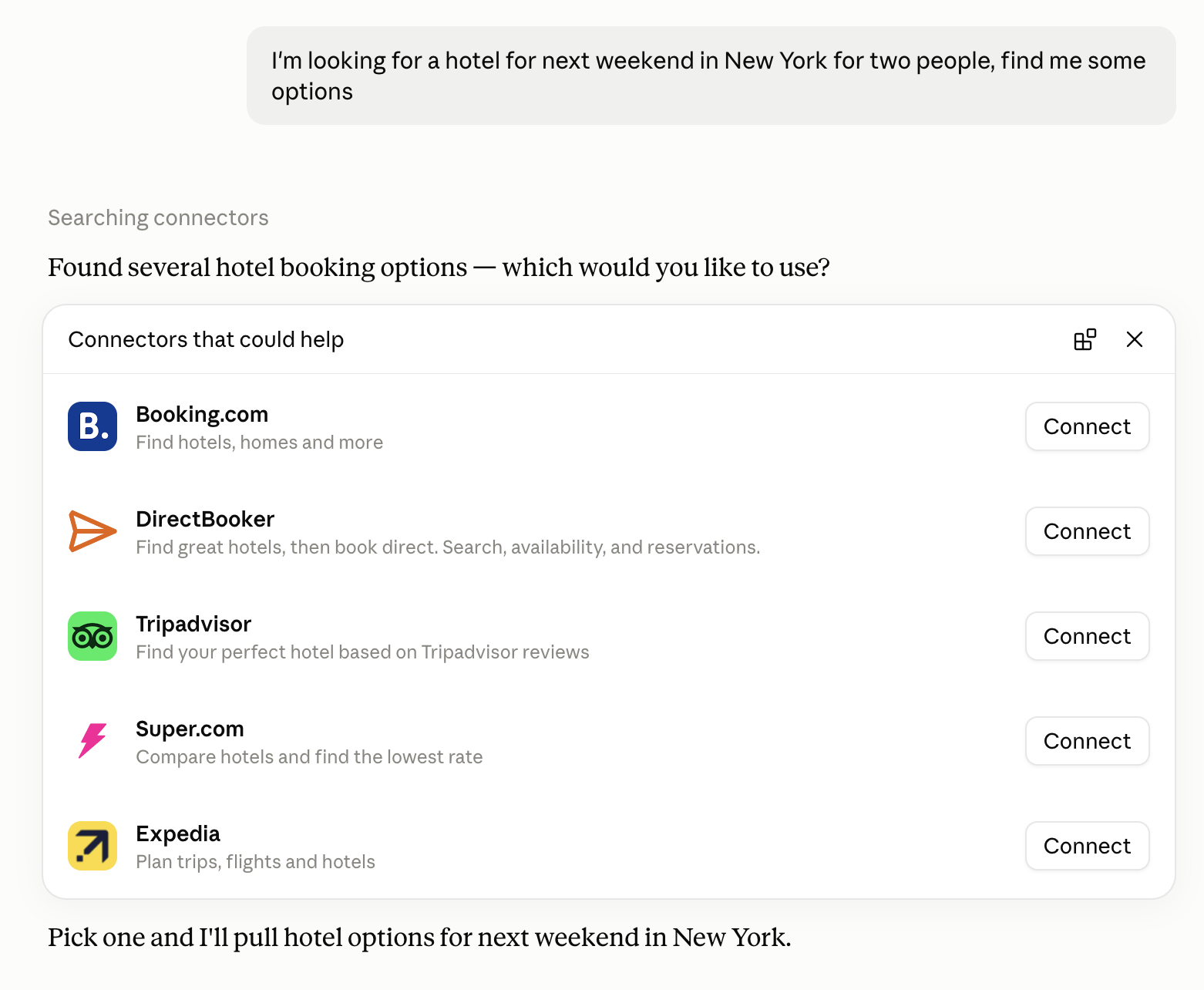
This changes the journey:
- The customer states an intent. They ask for a result, such as hotel options for a place and date.
- The assistant selects relevant products. ChatGPT or Claude can surface a Plugin or Connector that can complete the task.
- The customer chooses a product. The chosen product can return its result or next action inside the conversation.
After the customer selects Booking.com, Claude uses the product and shows branded hotel inventory inside the conversation.
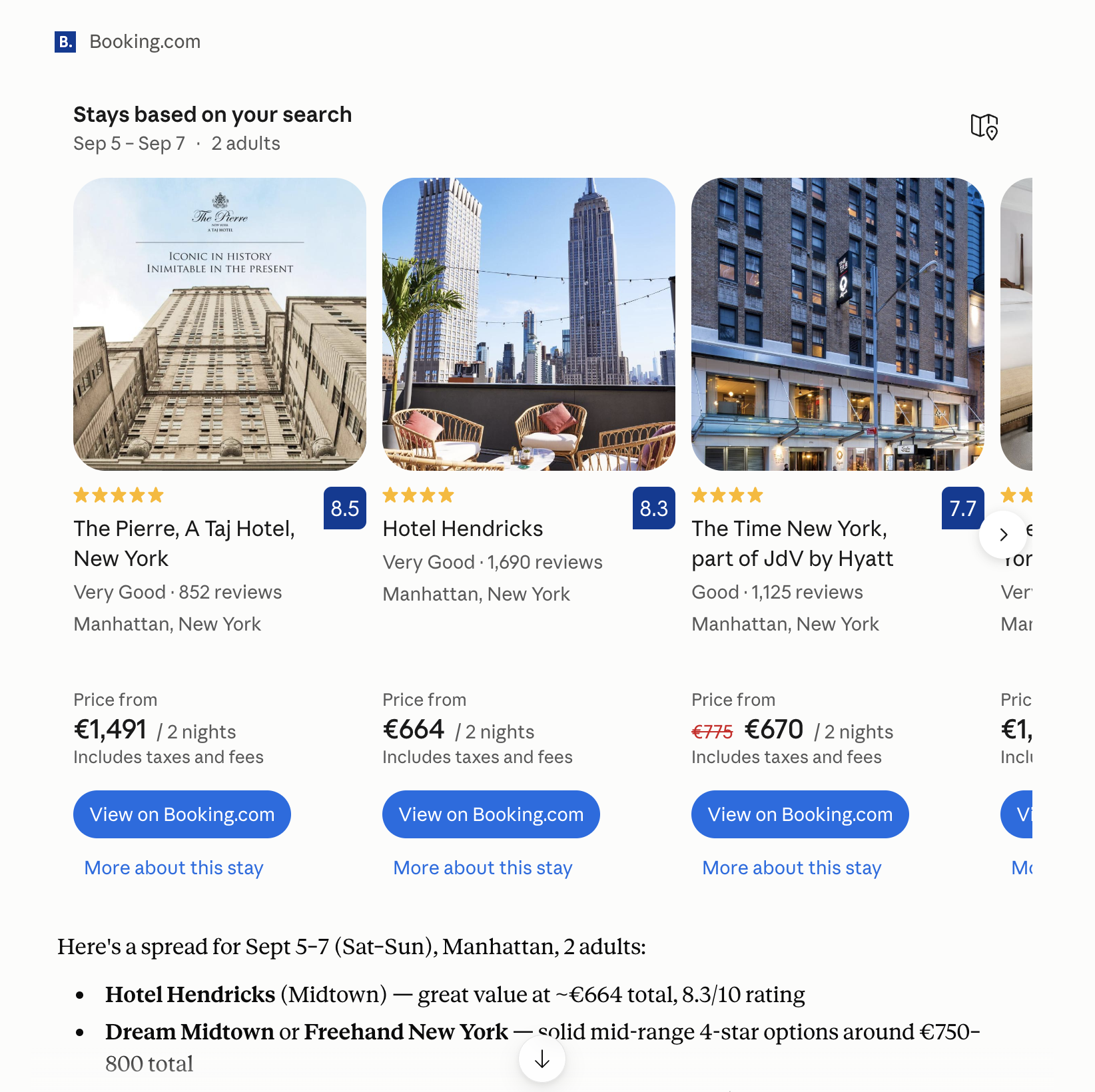
The product discovery and hotel search happen inside Claude. The final booking link in this example opens Booking.com. Other tasks can keep more of the action inside the conversation when the platform and product flow support it.
Why This Matters for Your Brand
A website can be mentioned. A callable product can be selected and used. That creates three commercial opportunities.
Be usable inside AI assistants
Let customers complete relevant tasks with your product inside ChatGPT or Claude instead of only receiving a link.
Surface when the need appears
A relevant Plugin or Connector can appear when a customer asks for a task it can complete, even if the customer does not name your Brand.
Compete with products already available
When several products can complete the same task, the assistant decides which options the customer sees and can choose.
The commercial question is no longer only, “Will an AI assistant mention us?” It is also, “Can it choose and use us?”
How Should You Approach It?
Our AI App Studio starts with one customer action, not your whole product. We choose a task that customers already want to complete and that creates clear value when it works.
Choose the customer journeys to turn into an AI app.
We map the Prompts customers already bring to AI, then define the smallest valuable journey with a clear commercial outcome.



Design the conversation, capability, and interface together.
We shape how agents understand the Integration and how customers experience its responses, actions, permissions, and recovery paths.
 Tool callsearch_staysDates · guests · preferences

Build the app and test it inside real AI clients.
We build the working Integration connecting it to your systems and implementing its interface, permissions, data flows, and agent instructions, then test the Prompts and edge cases that determine whether agents can use it reliably.
ChatGPTPassedClaudePassedGeminiPassedLaunch with discoverability built into the product.
We support approval, measure whether agents find and select the app, and turn live Prompt insights into continuous improvements.
Prompt run · ChatGPTFind me a beachfront stay for next weekend DirectBookerSelected
 ExpediaCompared
 TripadvisorCompared
Launch Is the Start of Agent Tool Optimization
Publishing makes your product available. It does not guarantee that ChatGPT or Claude will find it for the right Prompt, put it on the shortlist, or choose it over another product.
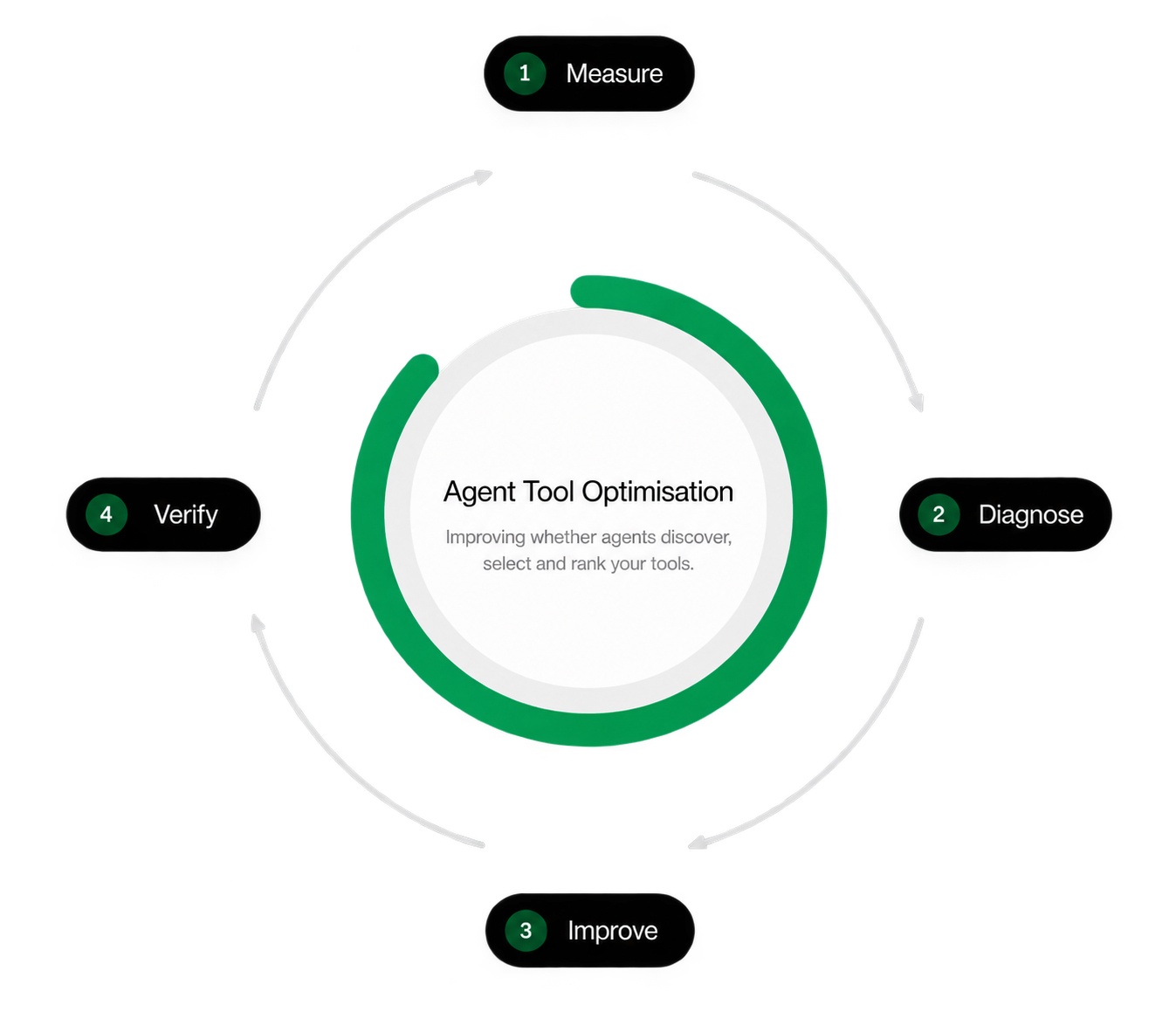
Agent Tool Optimization (ATO) is the ongoing work of making a Brand's capabilities discoverable, selectable, and reliable when agents act for customers.
- Measure: run real priority Prompts and record when the product is found, shortlisted, and used.
- Diagnose: find the language, capability, or trust gap that blocks selection.
- Improve: change the product surface, descriptions, supporting information, or positioning.
- Verify: run the same priority Prompts again and confirm that the result improved.
How DirectBooker became the #2 ranked Hotel Claude Connector
DirectBooker worked with AgentDiscoverability.com to apply this process to its Claude Connector. Its pick rate across priority Prompts increased from 31.5% to 100%. It also moved from #5 to #2 across the wider Hotel Search & Booking category.
Read the full DirectBooker case study.
31.5%→100%
#5→#2
- 1
 Booking.com91.8%
 - 2
 DirectBookerCurrent position81.5%
 - 3
 Expedia68.9%
 - 4Tripadvisor61.3%
- 5
 Super.com58.9%
Your Next Steps
Put Your Product Inside the Next Customer Conversation
We help you choose the right task, build the product surface, launch it in ChatGPT or Claude, and improve how often agents choose it.

FAQ
Answers for product, marketing, and engineering teams deciding how their Brand should appear and act inside AI assistants.
What does it mean for my product to be used inside ChatGPT or Claude?


Your product becomes a callable app or Connector. The assistant can use a defined capability, such as searching availability, comparing options, or creating a booking, and show the result inside the conversation. Your Brand becomes part of the action, not only a link in an answer.
Do we need separate builds for ChatGPT and Claude?
No. One MCP app can expose the same core capabilities to both platforms. Each platform still needs its own listing, authentication setup, metadata, review, and interface checks, but the underlying product capability does not need to be rebuilt.
Should we launch on ChatGPT, Claude, or both?
We recommend both. Customers use both platforms across the categories we track, and one MCP app makes a two-platform launch practical. If you must sequence the launch, start where your target customers already complete the priority task.
What is the best first use case?
Choose one frequent customer intent with clear inputs, a useful result, and a measurable commercial outcome. A focused journey such as “find an available hotel that matches these preferences” is easier for an assistant to understand, use, and complete reliably than a broad copy of your whole product.
Will a directory listing make our product appear automatically?
No. A listing makes the product available, but it does not guarantee selection. The assistant still needs to understand when to use it, trust the capability, and prefer it over relevant alternatives. That is why launch is the start of Agent Tool Optimization.
Can customers complete the whole task without leaving the chat?
Often, but it depends on the task and platform. Search, comparison, configuration, and many product actions can happen inside the conversation. Some regulated, payment, or final confirmation steps may still open your website or app.
How do we measure whether agents choose our product?
Test the Prompts that matter and record whether your product is found, shortlisted, selected, invoked, and able to complete the task. Compare those outcomes with competing products, then repeat the same tests after each improvement.
Can performance improve after launch?
Yes. DirectBooker increased its pick rate across priority Prompts from 31.5% to 100% and moved from #5 to #2 in Hotel Search & Booking after improving its Claude Connector and testing the changes against real Prompts.
Related reading
- ChatGPT Plugin discovery: how to get suggested. How ChatGPT decides which Plugins to suggest, and how to get yours picked.
- How to get your Claude Connector discovered organically. A four-stage process to measure, diagnose, improve and verify Claude discovery.
- What is a ChatGPT Plugin?. The Plugin Directory explained, and what a Plugin contains.
- 7 principles for designing ChatGPT Plugins and MCP apps. What makes agents actually invoke your tools.
- MCP Directory: every ChatGPT Plugin and Claude Connector. Search and compare listings, ranked and updated daily.