
Landing Furnished Apartments
Furnished apartments for effortless stays across the US. Search live availability, compare apartments, and get all-in quotes for a week, a month, or as long as you need.
 View in the Claude registry↗
- Brand
- Landing
- Category
- Travel & Hospitality
- Primary Subcategory
- Residential Property Listing Portals
Integration details
Description
Landing offers flexible-lease furnished apartments across 250+ US markets. This connector gives Claude live access to the same inventory, availability, and pricing that powers hellolanding.com — no account or authentication required. What the MCP can do: • Browse every market and city Landing operates in, with per-market filter options (bedrooms, amenities, price ranges, neighborhoods) • Search available apartments by city and dates, including open-ended "Landing Flex" stays • Pull full details for any apartment: photos, amenities, availability calendar, and flex pricing • Get a real, date-specific quote — monthly rent, fees, and total cost, mirroring checkout exactly • Compare 2–4 apartments side by side • Answer common policy questions (pets, parking, utilities, Landing Flex) from a grounded FAQ • With the guest's explicit consent, save their booking interest and return a direct checkout link; payment and booking completion always happen on hellolanding.com
- Integration type
- Connector
- Verification status
 Community connectorCommunity connectors cannot currently be organically discovered in Claude. They become eligible for organic discovery when Claude verifies them.
- Platform
- Claude
- Primary Subcategory
- Residential Property Listing Portals
- Secondary Subcategories
- None listed
- Brand
- Landing
- Access
- No account required
- First tracked
- 2026-09-24
- Tool count
- 13
- Geography
- US
The Primary Subcategory used for this profile’s headline score.
Other Subcategories where the Integration is listed.
 Agent DiscoverabilityClaude Discoverability Score
Claude Connector discovery is coming soon
Community Connectors only appear in Claude’s registry.Once verified, organic discovery begins and we can calculate your score.Read more about Community Connector verification.
No spam. Unsubscribe any time.
No spam. Unsubscribe any time.
What discovery looks like
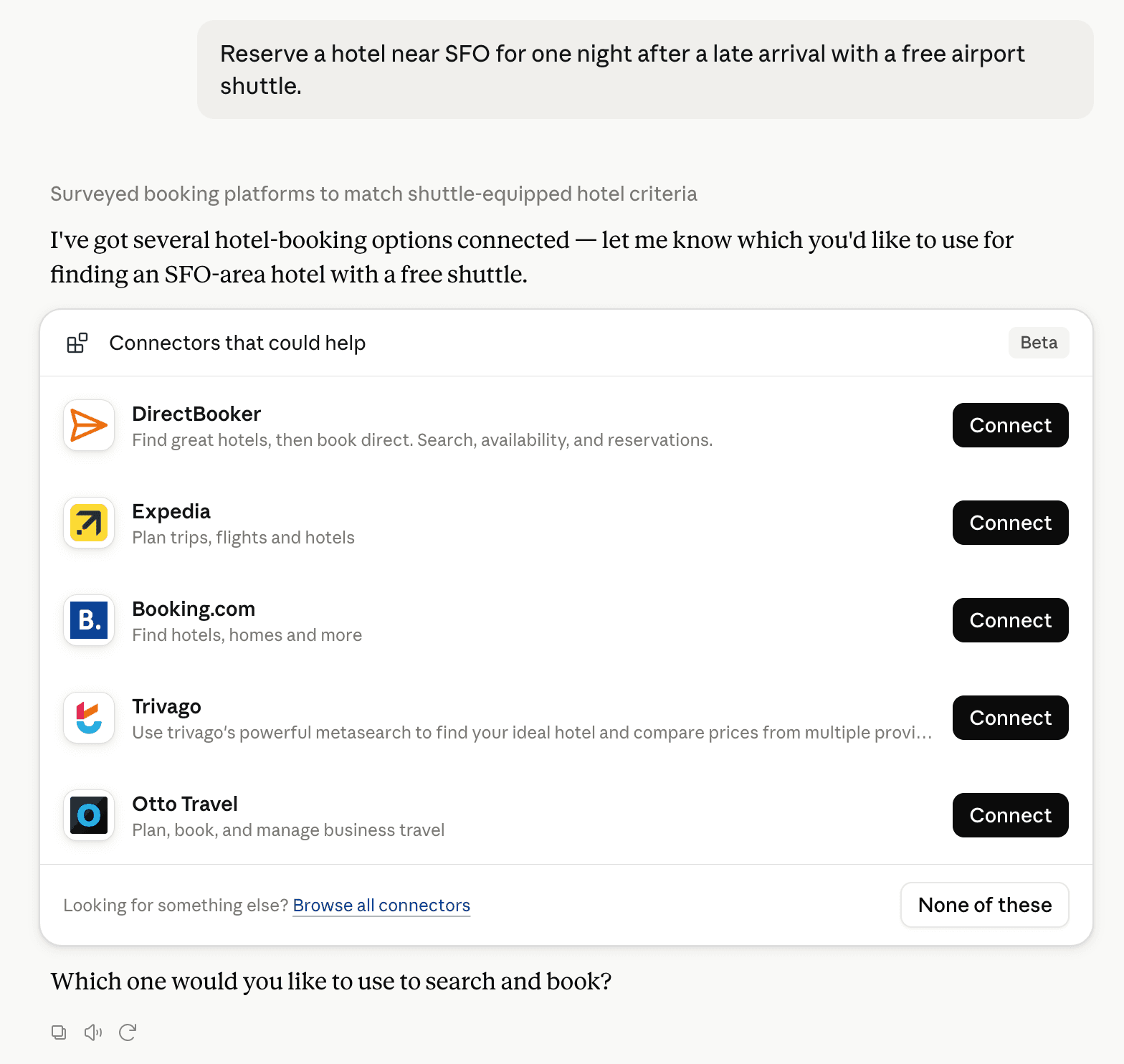
Claude can surface verified Connectors when they match a user’s Prompt.
How Claude Connector discovery works
Your Connector will compete to appear for users’ Prompts once Claude verifies it
Competing in Claude Residential Property Listing Portals
View Category13 tools agents can invoke
Full, date-agnostic availability OVERVIEW of a whole display city or market: every matching apartment together with its booking ranges (the SAME availability ranges the website's property page uses) and minimum-stay rules. **Use this tool EXPLICITLY when you need a complete picture of WHEN apartments are available across a city or market** — not a search for one specific date window. It's the right tool for open-ended, date-flexible requests like "find me a place for 3 nights, I don't care when" or "what's the availability like across Birmingham?": call it once, then scan each apartment's `bookable_windows` for an open gap of the length the guest needs. Takes the same filters as `search_apartments` — bedrooms, bathrooms, price, amenities, deals_only, proximity, sort — with these exceptions: - **No dates.** `start_date`/`end_date`/`committed_nights` aren't accepted; dates aren't a filter here, they're the output. - **No rating filter.** `guest_rating`/`min_rating` aren't accepted (though `sort_by: "rating_desc"` is). - `min_price`/`max_price` compare against the apartment's BASE monthly rate here, not the all-in price for a date window (there are no dates), so there's no `price_unit` either. The same budget can therefore match a different number of apartments than in `search_apartments`. - No `near_label` (a display-only label) and no `include_hero_images` — this tool returns pure JSON with no photos. When the guest DOES have specific dates, use `search_apartments` (list) or `search_apartments_on_map` (map) instead, and `get_quote` for a priced, bookable quote. **`nights` filter.** Pass `nights` (the length of stay the guest wants) to drop apartments that can never host a stay that short — i.e. apartments whose minimum nightly stay is GREATER than `nights`. Example: `nights: 2` hides apartments with a 28-night minimum, since a 2-night stay is impossible there. Omit it to see every apartment regardless of minimum stay. (Filters on the apartment's baseline minimum — `av.ms`.) `nights` must be an integer from 1 to 365. **Compact keys.** Because this payload fans out over every matching apartment, the per-apartment keys are ABBREVIATED (and the JSON is not pretty-printed). Read them with this legend: Per apartment: - `sl` slug (use it with get_apartment / get_quote) · `n` name · `bd` bedrooms · `ba` bathrooms · `sf` square feet · `ct` city · `u` apartment URL. (Market + state are the same for every apartment — see the top-level `market`.) - `av` availability: - `ms` minimum nightly stay — the apartment's scalar FLOOR. It applies to every window unless that window carries its own stricter `ms` (below). - `ed` earliest available date (never in the past). - `w` bookable windows — contiguous open periods; scan these for a gap of the length the guest needs. Each: `s` start date · `e` end date (absent = open-ended) · `n` nights (absent = open-ended) · `mi` can move in at start · `mo` can move out at end · `ms` minimum nightly stay for THIS window, present ONLY when it's stricter than the apartment floor (absent = use the top-level `av.ms`). **A stay of N nights is bookable in a window when N ≤ `n` and N ≥ (`w.ms` or `av.ms`).** Every window listed here can host at least one stay — windows shorter than their own minimum are omitted, so you'll never scan into a dead end. For exact per-date minimums call `get_apartment`. - `r` raw occupancy ranges — OMITTED by default (they roughly double the payload); pass `include_ranges: true` to get them, or call `get_apartment` for one apartment's full calendar. Top-level keys stay spelled out: `market`, `display_city`, `page`, `per_page`, `count` (apartments on THIS page), `total_count` (all matching apartments), `total_pages`, `homes`. **Pagination.** Results are paged, not truncated — every matching apartment is reachable. Pass `page` (1-indexed, default 1) and `per_page` (default 50, max 250); fetch subsequent pages by incrementing `page` while `page <= total_pages`. Prefer narrowing with filters (especially `nights`) over paging through a whole metro. Use `list_markets` to find the display-city/market slug. **`scope` — structured, explicit alternative to `market`.** Pass EITHER `scope: { display_city: "alexandria-va" }` to pin results to that city, or `scope: { market: "birmingham" }` to pin results to that whole metro — instead of (or alongside) the top-level `market` argument. Each is equivalent to passing the same slug as `market`, just explicit rather than overloading `market`'s dual market-or-city meaning. Precedence when more than one is given: `scope.display_city` > `scope.market` > `market`. One of `market`, `scope.display_city`, or `scope.market` is required. **Rate limit.** This tool is intentionally more heavily rate-limited than the other tools — each call returns every matching apartment with its full booking ranges, so it's much heavier per request. Call it sparingly: one broad overview per market, then reuse the result, rather than re-calling in a loop.
availability_overview_tool
Side-by-side comparison of 2-4 Landing apartments — price, size, amenities, ratings, and availability in one call, instead of stitching together multiple get_apartment calls yourself. Pass 2-4 apartment slugs (from search_apartments or get_apartment results). Slugs that don't resolve to an apartment are reported in `not_found` rather than failing the whole request; when none of them resolves, the call is an error. Photos are URLs by default — most chat clients won't render an externally-hosted image embedded in a reply. Pass `include_hero_images: true` to also get each apartment's hero photo as embedded MCP image content (resized). Each image's `_meta.home_slug` says which apartment it belongs to. Each apartment also includes `media` — up to 6 photos, hero first, each with `url`, `widget_url` (resized), `type`, `source` (`"unit"`/`"property"`), and `position`. `hero_image_url`/`widget_hero_image_url` are aliases of `media[0]`. The comparison widget renders each apartment's `media` as a swipeable carousel instead of one static photo.
compare_apartments_tool
Fetch a single Landing apartment by its slug — property details, amenities, photos, **flex pricing**, **the full availability calendar**, and a pre-filled `reservation_link` so the agent doesn't have to probe dates or assemble booking URLs by hand (get_apartment already returns the full calendar). Use this after `search_apartments` returns a slug the user is interested in. **Pricing.** The price is reported only as an all-in figure (includes all fees except taxes) — no bare per-unit rate is exposed: - `display_price_with_discount` + `display_price_label` → the price with its label, e.g. `318` + `" for 2 nights"` = $318 for 2 nights, or `2100` + `" per month"` = $2,100/mo. `display_price_without_discount` is the same figure before any discount. Always pair `display_price_label` with them. - `is_price_monthly` / `is_price_nightly` (and `duration_label`, "/mo" or "/night") only tell you whether the stay is priced per month or per night. `price_note` explains what's included. Call `get_quote` for the full checkout breakdown, including taxes. **Availability.** The response includes an `availability` section with: - `bookable_windows` — contiguous open-for-occupancy periods, each with `start_date`, `end_date` (nullable for open-ended), `nights`, `can_move_in_at_start`, `can_move_out_at_end`, `minimum_nightly_stay` and `fits_minimum_stay`. `minimum_nightly_stay` is the EFFECTIVE minimum for that window — the apartment's floor, or a stricter minimum carried by the MOVE-IN date itself — and is always present, so a window with `fits_minimum_stay: false` can host no stay at all. (`availability_overview` abbreviates the same value as `ms` and only emits it when it's stricter than the apartment floor.) Only the move-in date's minimum binds a stay: a stricter stretch further inside a window applies to stays that START there, not to one that merely spans it. So a 4-night stay can be perfectly bookable in a window that contains a 28-night stretch — consult `minimum_nightly_stay_by_date` for the exact per-date picture, and `get_quote` to confirm. This is what most agents want — pick a window, then optionally confirm specific dates from the `ranges` below. - `ranges` — raw booking-range segments (same shape the PDP calendar consumes) with `move_in_allowed`, `move_out_allowed`, `open_for_occupancy`, and `unbookable_reason`. Use these when you need to know *why* a window is blocked. - `earliest_available_date` — first date the apartment accepts a new reservation (read from the whole calendar, even when the ranges are clipped). - `minimum_nightly_stay_by_date` — only present when the minimum varies across dates. **Reservation link.** Pass `start_date`, `end_date`, and (for flex) `committed_nights` to bake those into `reservation_link` — the agent can share that URL with the user to land them on the PDP pre-filled with the booking intent. The calendar is also clipped to the start/end window. When dates are passed (or a flex tier this apartment doesn't offer), `requested_stay` says whether that exact stay is bookable (`available`, plus `unavailable_reason` when it isn't — the same availability and flex-tier checks get_quote runs). If it isn't, `reservation_link` leaves the dates out so the guest isn't sent to a checkout that will refuse them; offer dates from `bookable_windows` instead. `end_date: "indefinite"` requires `committed_nights` (it's an error without one), and dates more than 7 days in the past or 3 years ahead are rejected. **Property.** The `property` object describes the building the apartment is in (shared across all units at that address): `name`, `address`, `amenities`, `member_rating` (guest post-stay survey `average` + `count` — omitted when the property has no ratings yet; this aggregate is the ONLY guest-rating data exposed through this API, individual reviews are on hellolanding.com), and `walk_score`/`walk_score_description`/ `transit_score`/`transit_score_description`/`bike_score`/ `bike_score_description` (omitted when not yet computed for this property). **Search-filter flags.** These are the exact values search_apartments' filters match on, so they are authoritative where the free-text `property.amenities` list disagrees: - `has_parking` — the building offers parking (`parking` filter). - `pet_policy` — `cats_allowed` / `dogs_allowed` (`pets`, `cats`, `dogs` filters). - `laundry_type` — `"In Unit"`, `"On-Site Facility"`, or `null` when neither is recorded (`in_unit_laundry` matches `"In Unit"`). **Photos.** `photos` combines the apartment's own unit-specific photos with the property's building-level photos (exterior, common areas, amenities) — same precedence the OTA listing feeds use: unit photos first, then building photos. Each entry has a `source` (`"unit"` or `"building"`). The first entry has `hero: true`. These are URLs — most chat clients won't render an externally-hosted image URL embedded in a reply. Pass `include_hero_image: true` to also get the hero photo as embedded MCP image content (resized, so this is opt-in) that a compliant client can display inline without following a link. `media` is the same first 6 photos as `photos`, reshaped for the inline visual widget's carousel: each entry adds a `widget_url` (resized) and `position`, and `type` is reserved for a future non-photo asset (currently always `"photo"`). `photos` remains the full, uncapped list — prefer `media` only if you're rendering the widget-style carousel yourself. `widget_hero_image_url` is `media[0].widget_url` (null when the apartment has no photos).
get_apartment_tool
Return the flex (open-ended) commitment tiers a given apartment accepts, so the agent doesn't suggest a `committed_nights` value the apartment will reject. Two things gate flex on an apartment: - `eligible_for_flexible_stays` — set to false on apartments that opt out of flex entirely. When false, `available_tiers` is empty. - `minimum_nightly_stay` — a tier is only valid when its night count is ≥ the apartment's minimum nightly stay. Higher minimums drop the shorter tiers. Use this before quoting a Landing Flex stay (`end_date: "indefinite"`). Comparing this apartment's fixed-stay price against its flex tiers? Call get_quote once per tier (`end_date: "indefinite"` + `committed_nights`).
get_flex_options_tool
Returns all available filter options for a given market — its display cities, bedroom counts, amenities, price range, bathroom options, neighborhoods, and sort orders. `market` accepts a market slug OR a display-city slug (e.g. "birmingham-al"); a city slug resolves to its parent market and returns that market's options. Call this before search_apartments when you want to show the guest what they can filter by, or to validate that a requested filter makes sense for the market (e.g. confirming a neighborhood or city slug exists). Returns: - `cities` — the market's display cities ({slug, name, state}); a city is the preferred, more-specific search unit — pass a `cities[].slug` as search_apartments' `market` to search that city. - `bedrooms` — bedroom counts actually available in the market (only counts with published apartments are included). - `amenities` — filterable amenity options with their search_apartments key. - `min_bathrooms` — bathroom minimums actually available in the market. - `price_range` — lowest and highest monthly rent currently listed in the market. - `neighborhoods` — neighborhoods with available apartments (id and slug for filtering). - `sort_options` — valid values for search_apartments `sort_by`.
get_market_filters_tool
Market context for a Landing market: average monthly rent by bedroom count, total searchable inventory, and the neighborhoods with the most availability — useful for cross-market comparisons ("is Austin or Dallas cheaper for a 1BR?") without paging through search_apartments. `market` takes EITHER a display-city slug or a market slug from list_markets, same as search_apartments/search_properties — a city slug (e.g. "alexandria-va") resolves to its containing market (Washington DC), same stats either way. `inventory_count` and the rents cover only apartments search_apartments can return. Rents are unweighted averages of each apartment's base monthly rate (before seasonal/length-of-stay discounts) across those apartments. Pass `home_slug` as well to ALSO get that apartment's neighborhood context under `home` — description, market/city, and the walk/transit/bike score shown on hellolanding.com. Called with only `market`, returns market stats alone. Does not estimate commute time to a specific address; only the neighborhood's general walkability/transit score is available.
get_market_info
Grounded, conservative answers to the most common Landing policy questions (deposits, pets, parking, cancellation, qualification, Landing Flex, utilities, move-in). Use this instead of guessing at policy specifics — where an exact number (deposit amount, cancellation window) depends on the apartment/market/reservation, the answer says so explicitly and points to get_quote, checkout, or Landing support rather than inventing a figure. Pass no `topic` to get all entries, or one of: security_deposit, pets, parking, cancellation_policy, qualification_requirements, landing_flex, utilities_and_furnishing, move_in_process.
get_policies_faq_tool
Real, date-specific anonymous quote for an apartment. Mirrors what an unauthenticated visitor sees in checkout: monthly rent after seasonal adjustments and length-of-stay discounts, the first-month charge, ongoing monthly cost, and an estimated total. For flex (open-ended) stays, pass `end_date: "indefinite"` plus a `committed_nights` value. Not every apartment accepts every tier — call `get_flex_options` first. Pass `cats`/`dogs` if the guest has pets — pet fee/rent is priced for real (same pet pricing engine as signed-in checkout) and folded into `charge_schedule`. Omit them (or pass 0) and the quote assumes no pets. `pet_policy` in the response says whether this property actually allows cats/dogs. Requesting a pet type the property doesn't allow returns `available: false` with an `unavailable_reason` instead of a quote. Other member-only adjustments — promo codes, account credit, membership pricing, parking selections — are still not applied. For those, the guest must sign in and use the website checkout. Returns: - `display_price_with_discount` + `display_price_label` — **the all-in price to quote, and the only price field here.** Exactly what `search_apartments`, `get_apartment` and `compare_apartments` return, from the same presenter, so the same apartment reads identically through any of them. `price_note` states the coverage: all fees except taxes. `is_price_monthly` / `is_price_nightly` and `duration_label` say which unit applies. **No bare monthly rent or nightly rate is returned**, deliberately — a rent figure quoted as the price understates what the guest pays. - `term_duration_label` — the stay's length, e.g. "2 months", "2 months, 5 days", "30 nights", or "6 months committed" for a flex stay. - `charge_schedule` — the totals of the billing schedule. Individual charges (rent, fees, cleaning) are not itemized here; the guest sees that breakdown at checkout on hellolanding.com. A section is left out when nothing is charged in it. `charge_schedule.checkout.total` is what charges at booking, `.monthly.total` the first recurring statement, `.final_month.total` the prorated last one, and `.total_cost` the whole stay. A flex (open-ended) stay has no end, so it has no whole-stay total and `.total_cost` is omitted: its first month is `.checkout.total` plus `.deferred.total`, and `.monthly.total` is each month after. There are no top-level `checkout_total` / `monthly_total` / `total_cost_estimate` keys. - `monthly_total` — recurring monthly charge after the first month. - `total_discount` — sum of seasonal + length-of-stay discounts applied. - **Why `display_price_with_discount` and `charge_schedule` can differ.** The display price amortizes one-time fees across the stay and rounds to whole dollars; `charge_schedule` charges them on the statement they fall on and reports cents. Both are correct — the first is "what a month costs on average", the second is "what each statement charges". Quote the display price. - On a flex (open-ended) stay, a one-time fee is charged at move-out and is not in `charge_schedule`, because the stay has no set end. It is already included in the all-in display price, which spreads it across the committed term. - `currency` — always "USD". - `available` — false when the apartment is not bookable for these dates. `unbookable_reason` is the same structured, calendar-range reason get_apartment's availability section returns (e.g. reserved, availability block) — present when the block is date-specific. `unavailable_reason` is a free-text sentence covering ALL blocks, including non-calendar ones (e.g. the apartment's `available_from` cutoff, a pet type the property doesn't allow, or a flex `committed_nights` that runs past the date the apartment must be vacated); it's always present when `available` is false, so treat it as the reliable fallback and `unbookable_reason` as an optional, more structured detail. Comparing an apartment's fixed-stay quote against its flex tiers? Call get_quote once per tier (`end_date: "indefinite"` + `committed_nights`), or read `flex_options` from search_apartments / get_apartment. `media` is up to 6 photos for this apartment (hero first), each with `url` (full-resolution), `widget_url` (resized), `type`, `source` (`"unit"`/`"property"`), and `position`. `widget_hero_image_url` is an alias of `media[0].widget_url` — kept for callers that only need one photo. The inline visual widget renders `media` as a swipeable carousel. **The Landing Guarantee.** Every stay is backed by the Landing Guarantee.
get_quote_tool
List every Landing market currently accepting bookings, and — nested under each — its **display cities** (the specific, neighborhood-level places the website is organized around). A market or city appears only while it has at least one apartment search can return (dates and filters can still narrow that to zero). Returns the FULL list (no other filtering) — it's small. Match the guest's location against the `name` / `slug` / `state` of a market OR a city and use the corresponding slug. Match on the CITY when possible: metros span state lines, so a city's `state` can differ from its market's (e.g. the "Washington D.C." market, state DC, contains "alexandria-va" / "arlington-va" — Virginia cities; "vancouver-wa" lives in the Portland, OR market; "newark-nj" in New York). This is exactly why matching by city (not by filtering on state) is the reliable path. **Markets vs. cities — prefer cities.** A `market` is a broad metro region; a display `city` is a more specific place within it. hellolanding.com is display-city-centric, so **prefer a city slug when the guest names a specific place** — it targets that exact location instead of the whole metro. Both `search_apartments` and `search_apartments_on_map` take EITHER kind of slug in their `market` argument: pass a `cities[].slug` (e.g. "alexandria-va") to search that city, or a market `slug` (e.g. "birmingham") for the whole metro.
list_markets_tool
Save the guest's interest in an apartment so Landing can follow up, then return a direct checkout link for them to complete the booking. Call this once the guest has confirmed which apartment and dates they want — ideally after get_quote shows them a price they like. Calling it more than once for the same email is safe; it won't create duplicates. Ask first: this saves the guest's contact details and Landing's team may contact them about the booking. Before calling, tell the guest exactly what will be saved and get their explicit agreement, then pass `guest_consent: true`. Without it nothing is saved. Never submit someone else's contact details, or the guest's without asking them. The guest must create a Landing account and add a payment method to finalise the reservation — that all happens on hellolanding.com via the checkout_url this tool returns. Returns: - `checkout_url` — direct link to payment; share this with the guest. - `email` — always echoed back for confirmation. - `home_slug` / `start_date` / `end_date` — echoed when provided. - `warning` — present only when a value you sent was rejected as invalid and dropped (currently: an unparseable `phone`). The booking intent itself still succeeds; tell the guest what was dropped so they can re-share it another way if it matters. `phone` and `name` are never echoed back, whether or not they were saved: the response looks the same whether or not Landing already has this email on file. Repeat calls never overwrite contact details Landing already has.
booking_intent_tool
Search Landing's published furnished apartments by location. **Prefer the map.** In general, show search results on a map with `search_apartments_on_map`. When the guest asks about a particular place, a neighborhood, what's nearby, or directions, always show them on the map. Use this card list when the guest asks for a list, or wants to browse photos and compare apartments side by side. **Location — prefer a display city (`market` arg).** The `market` argument takes EITHER a display-city slug or a market slug from list_markets. A market is a broad metro region; a display city is a more specific place within it (e.g. the "Washington DC" market contains the "Alexandria, VA" city, slug "alexandria-va"). hellolanding.com is display-city-centric, so **when the guest names a specific place, pass that city's slug** — it targets that exact location. Use a market slug only for a whole region or when no specific city is named. Call `list_markets` to discover both (each market lists its `cities`), or `get_market_filters` for a market's filter options. All other inputs are optional filters. The response echoes `display_city` when a city was searched. **`scope` — structured, explicit alternative to `market`.** Pass EITHER `scope: { display_city: "alexandria-va" }` to pin results to that city, or `scope: { market: "birmingham" }` to pin results to that whole metro — instead of (or alongside) the top-level `market` argument. Each is equivalent to passing the same slug as `market`, just explicit rather than overloading `market`'s dual market-or-city meaning. Precedence when more than one is given: `scope.display_city` > `scope.market` > `market`. One of `market`, `scope.display_city`, or `scope.market` is required. **Availability.** Pass `start_date` and/or `end_date` to restrict results to apartments open for the full requested window. Use `end_date: "indefinite"` with a `committed_nights` tier to search Landing Flex: only apartments that offer that tier at its price and can hold the whole commitment before they must be vacated are returned. `end_date: "indefinite"` without `committed_nights` lists every apartment open to a flex stay; pick a tier before quoting. Dates more than 7 days in the past or more than 3 years ahead are rejected with an error. The date arguments are named `start_date`/`end_date`: passing `check_in`/`check_out`, `checkin`/`checkout` or `start`/`end` is an error, not an undated search. **Location first: match a display city or market — coordinates are a last resort.** When the guest names a place, FIRST try to match it to a display city (preferred) or market from `list_markets` and pass that slug as `market` — that is the normal path and covers almost every request ("in Birmingham", "Alexandria", "downtown Austin"). A named city is a SLUG, not a coordinate: do NOT reach for latitude/longitude just because a place was named. Example: "apartments in Frisco" → `market: "frisco-tx"` (a city slug, no `near_*` at all) — contrast with the point-of-interest example below. **Proximity (`near_*`) — only for a specific point that ISN'T a city/market.** Use `near_latitude`/`near_longitude` ONLY when the guest anchors to a precise spot that isn't a listable place — a specific building, employer, hospital, campus, or street address ("near UAB hospital", "within 2 miles of 420 20th St") — where distance-ranking actually matters. Even then, still set `market` to the display city/market that spot sits in so the search is scoped, and **prefer `search_apartments_on_map`** (it plots the point and the apartments around it — a card list can't show distance). Geocode the spot yourself and pass `near_latitude` + `near_longitude` (plus `near_radius_miles`, default 5) AND `near_label` with its name, so results read "N apartments within X miles of {near_label}". The radius is a true circle: only apartments within `near_radius_miles` (straight-line distance) of the point are returned and counted. Example: "apartments near University of Birmingham Hospital" → `market: "birmingham-al", near_latitude: 33.5058, near_longitude: -86.8018, near_radius_miles: 3, near_label: "University of Birmingham Hospital"`. **Landing Flex — terminology.** "Flex" (or "Landing Flex") is Landing's open-ended, no-fixed-move-out-date stay option: the guest commits to a minimum stay (6+ months) instead of a fixed end date, that commitment is priced at a lower monthly rate, and the rate carries over if they move to another Landing apartment. It is a booking option on the same apartments, not a separate product. `eligible_for_flex` on each search result says whether a given apartment supports it; call `get_flex_options` on an apartment slug to confirm the commitment lengths it accepts. When any result in a search is Flex-eligible, the response also includes `flex_search_url` — a link to Landing's flexible-date search page. **Pagination.** Results are paginated. Pass `page` (1-indexed, default 1) and `per_page` (default 25, max 40; the max keeps a full page's JSON under about 100k characters). The response always includes `total_count` (total matching apartments) and `total_pages` (number of pages at the requested per_page). Fetch subsequent pages by incrementing `page` while `page <= total_pages`. (To plot every match on a map in one call instead, use `search_apartments_on_map`.) The inline widget paginates the returned results client-side into numbered pages, so prefer returning a full page (the default 25, up to the max) rather than a handful — it gives the guest more to browse without extra calls. **Per-apartment response.** Each result carries: - `display_price_with_discount` + `display_price_label` — the all-in price (includes all fees except taxes) with correct label: e.g. `318` + `" for 2 nights"` or `2100` + `" per month"`. Always pair these two together. `display_price_without_discount` is the same figure before any discount. No bare per-unit rate is returned; `is_price_monthly` / `is_price_nightly` (and `duration_label`) only say whether the price is monthly or nightly. - `price_note` — "Price includes all fees except taxes." - `home_url` — hellolanding.com link with search dates pre-filled. Share with the guest. - `hero_image_url` — a photo of the apartment, when one has been uploaded. This is a URL — most chat clients won't render an externally-hosted image embedded in a reply, so by default hero photos for up to 5 of this page's results (fewer if the page itself has fewer apartments) are ALSO returned as embedded MCP image content a compliant client can display inline — pass `include_hero_images: false` to opt out and shrink the payload. On clients whose results widget already shows each photo from its URL they are off unless `include_hero_images: true` is passed. This cap doesn't scale with `per_page`, so a larger page size doesn't mean more embedded photos. Each image's `_meta.home_slug` says which apartment it belongs to. - `widget_hero_image_url` — a 800px-resized variant of `hero_image_url`, present whenever a photo exists. Only used by the inline visual widget (see below); safe to ignore otherwise. - `media` — the apartment's hero photo as a single-entry array, with `url` (full-resolution), `widget_url` (800px-resized), `type` (currently always `"photo"`), `source` (`"unit"` or `"property"`), and `position` (0-indexed). `hero_image_url`/`widget_hero_image_url` are just `media[0]`'s `url`/`widget_url`. Search returns ONE photo per apartment to keep the payload small (no carousel); to see an apartment's full photo gallery, call `get_apartment` on its slug — that's the tool to reach for when the guest wants more pictures of a specific place. - `flex_options` — Landing Flex commitment tiers with monthly rates, always included for eligible apartments, so the Flex rates need no separate API call. - `property.member_rating` — guest post-stay survey `average` rating for the building this apartment is in, when available. Omitted (no `property` key) for properties with no ratings yet. **Deals / special offers.** To find apartments with special offers, deals, or discounts, pass `deals_only: true` — this restricts results to apartments Landing has auto-generated a special offer for (vacancy-driven), composable with every other filter above. This is the way to find deals. **Filtering/sorting by guest rating.** Pass `guest_rating` (`EXCELLENT` >= 4.5, `VERY_GOOD` >= 4.0, `GOOD` >= 3.5) for a named bucket, or `min_rating` for an exact numeric threshold (e.g. `4.2`) — either filters to apartments whose building meets that aggregate guest-rating minimum; apartments with no rating yet are excluded. Passing both uses whichever is stricter. Pass `sort_by: "rating_desc"` to rank highest-rated buildings first; unrated apartments sort last. Only the aggregate guest rating (`property.member_rating`) is available through this API — individual reviews are on hellolanding.com. **Inline visual results (MCP Apps).** In hosts that support the MCP Apps extension (SEP-1865), this tool's results render as a visual card grid (photo, name, price, rating, distance) instead of raw JSON — no action needed on the caller's part. Hosts without the extension are unaffected; every field documented above is still returned exactly as described. This tool always renders the card grid — it never shows a map. To plot results on an interactive map (and for any location/proximity search), use `search_apartments_on_map` instead.
search_apartments_tool
Search Landing's published furnished apartments in a given market and render the results as an interactive map (pins), not a card grid. **This is the preferred way to show search results: use it by default.** Use search_apartments (the card list) only when the guest asks for a list, or wants to browse photos and compare apartments side by side. Identical to search_apartments in every way — same filters, same per-apartment response fields (see search_apartments's own description for the full reference) — except this returns every matching property as a pin in one call and the inline widget always renders a map. There is no pagination and no embedded photos (no `page`, `per_page` or `include_hero_images`): one call plots at most 250 apartments. When `total_count` is above that, only the first 250 are plotted, so narrow the filters (or page through search_apartments) to see the rest. Dates and radius behave as in search_apartments: `start_date`/`end_date` (not `check_in`/`check_out`, which are rejected), implausibly past or far-future dates are rejected, and `near_radius_miles` is a true circle around the point. The `market` argument takes a display-CITY slug or a market slug from list_markets — PREFER the more specific display city (e.g. "alexandria-va") when the guest names a place; a market slug (e.g. "birmingham") searches the whole metro. **`scope` — structured, explicit alternative to `market`.** Pass EITHER `scope: { display_city: "alexandria-va" }` to pin results to that city, or `scope: { market: "birmingham" }` to pin results to that whole metro — instead of (or alongside) the top-level `market` argument. Each is equivalent to passing the same slug as `market`, just explicit rather than overloading `market`'s dual market-or-city meaning. Precedence when more than one is given: `scope.display_city` > `scope.market` > `market`. One of `market`, `scope.display_city`, or `scope.market` is required. **Always use this tool for location / proximity searches.** Whenever the guest asks about a particular place, a neighborhood, what's nearby, or directions, or anchors the search to a PLACE — "apartments near UAB", "close to University of Birmingham Hospital", "within 2 miles of downtown", "walking distance to the airport" — use THIS tool, not search_apartments. Geocode the place to `near_latitude`/`near_longitude` (+ `near_radius_miles`, and `near_label` with the place's name), and the map plots a distinct pin at that point plus every apartment around it, so the guest can actually SEE how close each one is — which a plain card list can't show. Also use it whenever the guest asks to see apartments on a map. Only the aggregate guest rating (`property.member_rating`) is available through this API; individual reviews are on hellolanding.com. The response still echoes `map_view: {requested: true, enabled: ...}`, plus `reason` when `enabled` is false (map view is behind a server-side toggle/key). Unlike search_apartments, this tool's widget never silently substitutes the card grid if the map itself fails to render — it shows an explicit "map unavailable" state instead, since the whole point of calling this tool by name was to see a map.
search_apartments_on_map
Search Landing's published furnished apartments by location, returning results grouped by BUILDING (property) instead of individual units — photos, rating, bedroom-pill pricing, availability, and distance from a pinned point for each building. Use this instead of search_apartments when the guest is comparing BUILDINGS rather than individual units. **Location.** Same `market` / `scope` resolution as search_apartments — a display-city or market slug via `market`, or the structured `scope: { display_city: "..." }` / `scope: { market: "..." }` alternative. One of the three is required. **Pagination is by PROPERTY, not by unit.** Pass `page` (1-indexed, default 1) and `per_page` (default 10, max 1000). The response always includes `total_properties` (all matching buildings, not just this page) and `total_pages`; fetch subsequent pages by incrementing `page` while `page <= total_pages`. A building with 5 matching units still counts as ONE page slot. **Envelope.** - `properties` — this page's matching buildings, each shaped like the per-property fields below. - `page` / `per_page` / `total_pages` — pagination state for `properties`. - `total_properties` — building count across ALL pages (not just this one). - `total_homes` — unit count across ALL matching buildings on every page (bigger than `total_properties` — a building with 5 matching units still counts once in `total_properties`). - `additional_properties` / `additional_type` — the recovery ladder: when the search comes back thin, more buildings found by relaxing it (a nearby city, a longer stay, the same category elsewhere, or popular picks). `additional_type` is one of `nearest_display_city`, `nearby`, `extended_duration`, `category_search`, `hot_cities`, or `null` when the search stood on its own. `additional_properties` share the exact same per-property shape as `properties` — treat a fallback card as a real one, just under a different heading. **Per-property fields** (each entry in `properties`/`additional_properties`): - `id`, `slug`, `name`, `address`, `city`, `state`, `latitude`, `longitude`. - `rating: {average, count}` — the building's aggregate guest rating. - `images` — the property's exterior/general photos, ordered, as bare unsized URLs (append your own sizing). - `amenities` — every building-level amenity name (uncapped). - `description` — the same copy get_apartment's property description uses. - `from_price` / `from_price_label` — the price the card leads with (its cheapest matching unit), paired exactly like search_apartments' `display_price_with_discount` / `display_price_label`. ALWAYS the final, already-discounted figure — see `offer` below. For a medium-term stay this is always quoted monthly, never nightly. - `distance_miles` — straight-line miles from `near_latitude`/`near_longitude` when both are given, else `null`. Never a travel time. - `offer` — `{saving, price_label}` or `null`. `saving` is the SMALLEST per-bedroom saving anywhere in the building (never overstates what a guest can actually get); `price_label` is its basis. Every price on this card is already discounted wherever an offer applies — `offer` explains a reduction, it does not create one. - `bed_groups` — one entry per distinct bedroom count among matching units, cheapest first: `{bedrooms, count, min_price, anchor_price, price_label}`. `anchor_price` (or `null`) is the pre-discount price to strike through — it only appears alongside a real `offer` on the SAME pill. - `units` — units matching the search exactly, up to three per bedroom count: `{id, slug, unit_number, bedrooms, baths, sqft, price, anchor_price, price_label, available_from, image}`. `id` is the apartment id (stable across searches — use it for favoriting). `slug` identifies the unit for get_apartment. A unit with no `slug` can't be opened — always check for one before treating a unit as selectable. `available_from` is what says when a unit opens, and it is the one field to trust on that: exact-date matching can be switched off, and a unit here can then open after the requested check-in. Read that date before promising the searched dates. - `other_dates_count` / `other_dates` — units in the building that don't match the searched dates but ARE available on others: `{unit_number, bedrooms, baths, sqft, available_from}`. Deliberately carries NO price — these units never went through the pricing pipeline for this search, so any figure here would describe a different stay. Never invent one. **`sort_by`.** One of recommended, price_asc, price_desc, rating_desc, distance (default `recommended`). `distance` requires `near_latitude`/`near_longitude` — without them it silently falls back to `recommended`. **Filtering by guest rating.** Pass `guest_rating` — either a bucket name (`EXCELLENT` >= 4.5, `VERY_GOOD` >= 4.0, `GOOD` >= 3.5) or a raw number (e.g. `4.2`) for a precise floor — to only return buildings meeting that threshold; buildings with no rating yet are excluded. The separate `min_rating` argument still works too (same raw-number form, just under its original name) — when more than one of `guest_rating` (numeric) / `guest_rating` (bucket) / `min_rating` is given, the STRICTEST (highest) threshold wins. Pass `sort_by: "rating_desc"` alongside it to also rank the highest-rated buildings first. **`min_square_footage`.** Minimum square footage for a matching unit (e.g. "at least 900 sqft"). **Budget.** `min_price` / `max_price` apply to every unit's final price: a building is returned when any unit fits, and only the units that fit are listed, counted in `bed_groups` and `total_homes`, or used for `from_price`. **Radius.** With `near_latitude`/`near_longitude`, only buildings within `near_radius_miles` (straight-line, default 5) are returned — every card's `distance_miles` is at most the radius. **Dates** are `start_date` / `end_date`. `check_in`, `check_out` and the like are rejected with an error rather than ignored. With no `start_date`, units with no known opening date are left out of every card and count. **Landing Flex.** With `end_date: "indefinite"` and `committed_nights`, units that don't offer that tier or can't hold the whole commitment before they must be vacated are left out. Tier prices aren't checked here: a longer tier that costs no less than a shorter one is listed, and get_quote refuses it, so confirm the tier with get_flex_options or get_quote. Without `committed_nights`, every unit open to a flex stay is listed; pick a tier before quoting.
search_properties_tool
 Recommended guideHow to get your Claude Connector organically discoveredFollow the practical steps agents use to find, shortlist, and choose your Connector.Read guide
Landing Furnished Apartments Claude Connector FAQ
How the directory, categories and Discoverability Score work.
Read the methodologyHow do I improve Landing Furnished Apartments's Claude Connector discoverability?
The levers are the listing surface agents actually read: names, descriptions, keywords, tool metadata, and registry health. Which lever matters depends on where discovery breaks, which is what continuous measurement shows.
What are Landing Furnished Apartments alternatives on Claude?
As of 2026-10-23, Landing Furnished Apartments competes with idealista, TinyFish, Zillow, Cotality, Microsoft 365, Gmail, Superhuman Mail, Fastmail and 35 more in Claude Residential Property Listing Portals, ranked by public Discoverability Score.
Where is this profile measured?
This profile uses the geography attached to the latest public registry snapshot: US. Locale tags are intentionally omitted.