
- Brand
- Orshot
- Category
- Content & Design
- Primary Subcategory
- Graphic Design & Branded Asset Studios
Integration details
Description
Orshot helps users automate videos, images and PDFs from reusable on-brand templates, manage brand assets, create dynamic render URLs, draft automation workflows, publish social posts, and inspect social analytics from their Orshot workspace.
- Integration type
- Plugin
- Verification status
- Not applicable
- Platform
- ChatGPT
- Primary Subcategory
- Graphic Design & Branded Asset Studios
- Secondary Subcategories
- None listed
- Brand
- Orshot
- Access
- Account required
- First tracked
- 2026-08-19
- Tool count
- 102
- Geography
- US
The Primary Subcategory used for this profile’s headline score.
Other Subcategories where the Integration is listed.
 Agent Discoverability
 ChatGPT Plugin Discovery Score
Your score is coming
ChatGPT now suggests Plugins on its own when they match a user's request.Your Plugin Discovery Score measures how often yours appears, and it will show here as soon as it’s ready.
What discovery looks like
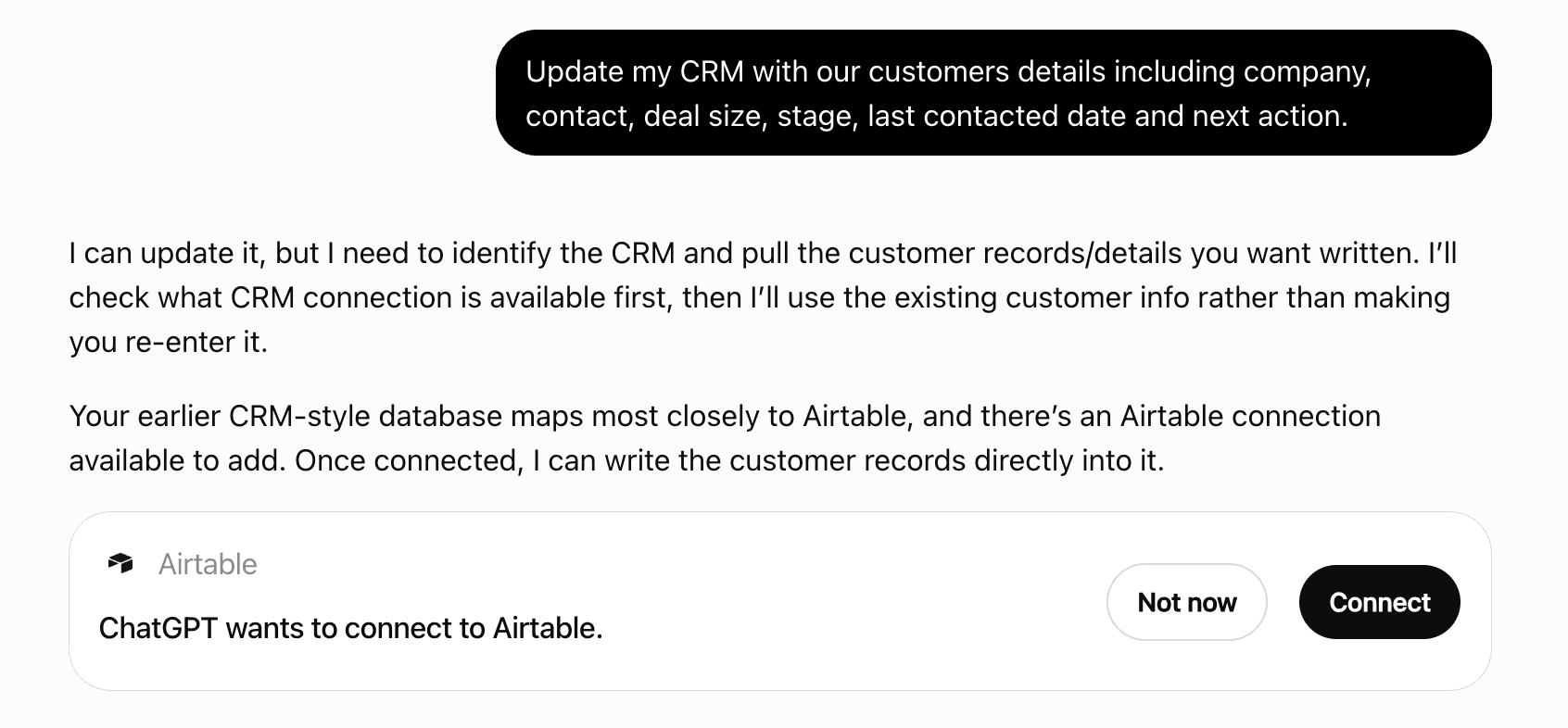
Get alerts for Orshot
Get updates when Orshot’s Discoverability Score or category rank changes.
Competing in ChatGPT Graphic Design & Branded Asset Studios
View Category102 tools agents can invoke
List the role presets (what a clip does in a page) and look presets (visual style, each with a preview clip URL) for orshot_generate_ai_video, plus the credit rate card. Read this once before generating so you can pick a preset instead of describing style in the prompt.
orshot_get_ai_video_presets
Save a brand color. Supports hex (#FF5733, #RRGGBBAA), rgb, hsl, and CSS gradients. Use tags to categorize (e.g. ["primary", "brand"], ["background", "dark"]). Max 200 colors per workspace.
orshot_add_brand_color
Check if authenticated and list available workspaces.
orshot_auth_status
Render the same studio template multiple times with different modifications in a single call. Use this for bulk image generation — e.g. personalized certificates, product cards, social posts for a list of items. Each item in the `renders` array is a set of modifications (same format as orshot_render_template). All renders share the same template, format, and options. Smart Resize works here too: `size` (render every item at a different canvas size) and `extraSizes` (add sized copies beside each item) apply to ALL renders in the batch. Use orshot_get_studio_template_modifications first to see available parameter keys. Example: Generate 3 personalized certificates: templateId: "12345" renders: [ { "name": "Alice", "course": "Design 101" }, { "name": "Bob", "course": "Design 101" }, { "name": "Charlie", "course": "Design 201" } ]
orshot_batch_render_template
Legacy name for orshot_batch_render_template. Prefer orshot_batch_render_template — it is the primary tool and this name will be removed in a future release. Same inputs and output. Render the same studio template multiple times with different modifications in a single call. Use this for bulk image generation — e.g. personalized certificates, product cards, social posts for a list of items. Each item in the `renders` array is a set of modifications (same format as orshot_render_template). All renders share the same template, format, and options. Smart Resize works here too: `size` (render every item at a different canvas size) and `extraSizes` (add sized copies beside each item) apply to ALL renders in the batch. Use orshot_get_studio_template_modifications first to see available parameter keys. Example: Generate 3 personalized certificates: templateId: "12345" renders: [ { "name": "Alice", "course": "Design 101" }, { "name": "Bob", "course": "Design 101" }, { "name": "Charlie", "course": "Design 201" } ]
orshot_batch_render
Read from the workspace's connected Google Sheets, Google Drive, Airtable, Shopify or HubSpot account to resolve the concrete IDs a workflow source needs. This is how you turn 'use my ABC spreadsheet' into a real spreadsheet `id` and `tab`: list the workspace's spreadsheets/Drive folders/Airtable bases+tables, then sample a source. A sample returns the field names plus up to 5 recent rows or records with their values, which can include names and emails from the user's own data, so the fields can be mapped. Call with no args for the provider/resource catalog. Always confirm the resolved name back to the user before creating a workflow.
orshot_get_workflow_connection_data
Configure the active workspace's Orshot Embed (white-label editor): activate it, set allowed domains (required for it to load anywhere), branding, feature toggles, events webhook, and custom buttons. Embed and some of its fields (events, webhook, downloads, custom buttons, asset picker, template-override protection) are not included in every plan; when the workspace's plan does not include one, the tool returns a plan-limit error and changes nothing. The signing secret cannot be read or written here. Omitted fields are left unchanged.
orshot_configure_embed
Finalize a direct upload started with orshot_create_upload_url: the kind is read from the key; the bytes are verified (magic bytes, size, completeness), processed exactly like the matching upload_brand_* tool, and saved to the workspace Brand Library. Returns the public direct_url (and for fonts the fontFamily to use in element styles).
orshot_confirm_upload
Legacy name for orshot_confirm_upload. Prefer orshot_confirm_upload — it is the primary tool and this name will be removed in a future release. Same inputs and output. Finalize a direct upload started with orshot_create_upload_url: the kind is read from the key; the bytes are verified (magic bytes, size, completeness), processed exactly like the matching upload_brand_* tool, and saved to the workspace Brand Library. Returns the public direct_url (and for fonts the fontFamily to use in element styles).
orshot_confirm_image_upload
Create a complete, reusable studio template for marketing, ads, social media, content creation, documents, or presentations. 📖 Read the **orshot://template-design-spec** resource first — it has the element structure, text rules, the verified animation schema, canvas sizes, and the common render gotchas (this tool also returns ⚠️ "Design checks" warnings; make one focused correction only when a warning is present). 🎨 For design quality, read the **orshot://design-spec/general** resource (the craft layer: hierarchy, 2-font typography, 60-30-10 color, brand-first, variety, anti-slop) — then the matching vertical pack, e.g. **orshot://design-pack/social-media** (formats, safe areas, archetypes, a concrete recipe). For recognised verticals this tool returns a "🎨 Design check" (layout-repetition, font/contrast, plus an informational brand-kit note). A clean check ends the authoring loop; correct only concrete findings. Brand assets are CONTEXTUAL — apply them only when the design should be on-brand (the prompt references the user's brand/product); a generic/standalone look needs no brand assets. DEFAULT: author the strongest complete design you can in this call — finished hierarchy and copy, production assets, reusable dynamic fields, intentional motion, and (for video) narration/ambient/captions/timing. Set includeThumbnails:true so creation doubles as visual QA. Do not deliberately submit a sparse scaffold. Make at most one focused update afterward, and only when the returned design checks or preview expose a real problem. Thumbnails are generated automatically in the background after creation — you do NOT need to render the template manually to preview it. They appear on the template (visible via orshot_get_studio_template) within a few seconds per page. The result returns updatedAt and pageMap: every page's page_id and every layer's element_id and parameter_id, including ids the server generated. Use them directly in a follow-up orshot_update_template_design or orshot_patch_template_elements call; do not call orshot_get_studio_template first. Recommended workflow: 1. In parallel: read the relevant design resources; call orshot_get_brand_kit for on-brand work; call orshot_get_audio_authoring_options for generated narration/SFX/captions. 2. orshot_create_template_design — create the complete template using the gathered context: - Use brand colors for backgrounds, text colors, accents - Use brand fonts (font name without extension) for fontFamily in text elements - Use brand images (direct_url) for logos, backgrounds, product shots - Use brand videos (direct_url) for video elements 3. If design checks or the thumbnail identify a concrete issue, make one targeted orshot_update_template_design call. Otherwise stop. ### Brand Asset Tag Matching When building templates, match brand assets by their tags to use the most relevant ones: - Tags like "logo", "icon" → use for logo placements - Tags like "background", "hero" → use for background images - Tags like "primary", "accent" → use for key color choices - Tags like "heading", "display" → use for title fonts - Tags like "body", "regular" → use for body text fonts IMPORTANT Element Format: - Position: use nested object { x: number, y: number } - Dimensions: use nested object { width: number, height: number } - Style values: px strings for lengths (fontSize: "40px"), unitless strings for fontWeight ("700") and minFontSize ("8"), NUMBER for lineHeight (1.2) Common canvas sizes: - Square: 1080×1080 (Instagram post) - Story: 1080×1920 (Instagram/TikTok story) - Slide: 1920×1080 (Presentations) - YouTube Thumbnail: 1280×720 - OG Image: 1200×630 - Twitter Header: 1500×500 ## Design Guidelines ### Canvas Properties Each page has a canvas object: { width, height, backgroundColor, backgroundImage, borderWidth, borderColor, borderStyle } - backgroundColor: Hex color or gradient, e.g. "#ffffff", "linear-gradient(180deg, #000 0%, #333 100%)" - backgroundImage: URL for a background image - borderWidth: Number in pixels (0 for no border) - borderColor: Color string, e.g. "rgba(0, 0, 0, 1)" - borderStyle: "solid" | "dashed" | "dotted" ### Element Structure Each element in pages_data[].elements[] needs: - id: Optional. Unique among the layers of its page; generated when omitted (returned in pageMap). Keep it when re-sending a design. - type: "text" | "image" | "shape" | "element" | "video" - position: { x: number, y: number } — position from top-left in pixels - dimensions: { width: number, height: number } — size in pixels - style: Object with CSS-like properties (length values as px strings; lineHeight as a NUMBER) - zIndex: Number for layer ordering (higher = on top) - For dynamic elements: parameterizable: true, parameterId: "snake_case_id", parameterType: "text" | "imageUrl" | "videoUrl" ### Common Element Properties (all types) - rotation: Number in degrees (0-360) - name: Optional display name for the layer - aspectRatioLocked: boolean (lock aspect ratio on resize) - clipPath: CSS clip-path value for masking, e.g. "polygon(...)", "circle(...)", "inset(...)" - style.opacity: 0-1 - style.mixBlendMode: "normal" | "multiply" | "screen" | "overlay" | "darken" | "lighten" | "color-dodge" | "color-burn" | "hard-light" | "soft-light" | "difference" | "exclusion" | "hue" | "saturation" | "color" | "luminosity" | "plus-lighter" - style.filter: CSS filter string, e.g. "blur(5px)", "grayscale(100%)", "brightness(1.2)" - style.dropShadowX: "0px" — drop shadow horizontal offset (separate from box shadow; applies as CSS filter) - style.dropShadowY: "0px" — drop shadow vertical offset - style.dropShadowBlur: "0px" — drop shadow blur radius - style.dropShadowColor: "rgba(0,0,0,0.2)" — drop shadow color ### Text Elements (type: "text") - content: Plain text string OR styled HTML for mixed formatting - Plain: "Hello World" - Styled (rich text): '<p><span style="color: red; font-weight: bold;">Bold Red</span> Normal</p>' - Multi-font styled text: '<p><span style="font-family: Playfair Display; font-size: 48px;">Elegant</span> <span style="font-family: Inter; font-size: 24px;">meets modern</span></p>' - Allowed tags: <b>, <strong>, <i>, <em>, <u>, <s>, <span>, <p>, <br> - Allowed CSS in style attr: color, font-family, font-size, font-weight, font-style, text-decoration, background-color, background-image, background-clip, letter-spacing, line-height, text-transform, padding - font-family in spans: Use any Google Font name. The renderer auto-loads fonts from Google Fonts CDN. - Use styled HTML when different words in the same text need different colors, sizes, fonts, or weights - style.textMode: "overflow" | "truncate" | "fit" — controls text overflow behavior: - "overflow" (default): text overflows the element boundaries - "truncate": text is cut off with ellipsis when it exceeds the element box - "fit": text auto-shrinks font size to fit within the element box (respects minFontSize) - style.minFontSize: String like "8" — minimum font size when textMode is "fit" - style.fontFamily: Google Font name — e.g. "Inter", "Prata", "DM Sans", "Playfair Display", "Sora", "Space Grotesk" - style.fontSize: "48px", "72px" (string with px) - style.fontWeight: "400", "700", "900" - style.fontStyle: "normal" | "italic" - style.color: Hex like "#FFFFFF" or gradient - style.textAlign: "left" | "center" | "right" | "justify" - style.verticalAlign: "flex-start" | "center" | "flex-end" — vertical text alignment (flex-start=top, center=middle, flex-end=bottom) - style.lineHeight: Number like 1.2, 1.4 - style.letterSpacing: "0px", "2px" - style.textTransform: "none" | "uppercase" | "lowercase" | "capitalize" - style.textDecoration: "none" | "underline" | "line-through" - style.paddingX: "6px", "10px" — horizontal padding inside the text box - style.paddingY: "6px", "10px" — vertical padding inside the text box - style.textStrokeWidth: "0px", "2px" — text outline/stroke width - style.textStrokeColor: "#000000" — text outline/stroke color - style.textBackgroundColor: Color value — background highlight behind text - style.textBackgroundRadius: "0px", "4px" — border radius of text background highlight - style.textBorderWidth: "0px", "2px" — border around the text element - style.textBorderColor: Color value — border color for text element - style.boxShadowX/Y/Blur/Color: Shadow properties Text sizing rules: - width: ~0.55 × fontSize × characterCount (tight fit, not full canvas) - height: fontSize × 1.3 for single line, multiply by lines × lineHeight for multi-line ### Shape Elements (type: "shape") - shapeType: "rectangle" | "circle" | "line" | "arrow" - style.fill: Color, rgba, or gradient (rectangle/circle) — the ONLY way a shape is painted. style.backgroundColor does NOTHING on a shape and leaves it opaque black. Gradient scrims over photos: a rectangle with fill "linear-gradient(180deg, rgba(0,0,0,0) 0%, rgba(0,0,0,0.9) 100%)". - style.stroke: Stroke color (rectangle/circle) - style.strokeWidth: "0px", "2px" (all shapes) - style.borderRadius: "0px", "12px", "50%" (rectangle only) - style.color: Color for line/arrow shapes - style.lineStyle: "solid" | "dashed" | "dotted" (line only) - style.opacity: 0-1 - style.boxShadowX/Y/Blur/Color: Shadow properties ### Image Elements (type: "image") - content: Publicly accessible image URL, OR a stock ref (see below) - STOCK: find refs with orshot_search_stock_media, then pass "stock://pixabay/photo/{id}" or "stock://unsplash/photo/{id}" as content and Orshot downloads, re-hosts and swaps in a permanent URL on save, recording the photographer credit on the element. Same for video layers: "stock://pixabay/video/{id}". Use this instead of hotlinking a provider CDN URL — those expire within about a day and the template breaks. An unresolvable ref fails the save rather than storing a dead link. - style.objectFit: "contain" | "cover" | "fill" - style.objectPosition: "left top" | "center top" | "right top" | "left center" | "center" | "right center" | "left bottom" | "center bottom" | "right bottom" - style.borderRadius, borderWidth, borderColor: Border properties - style.boxShadowX/Y/Blur/Color: Shadow properties - style.clipPath: CSS clip-path for masking ### SVG Elements (type: "element") - content: Inline data URI — "data:image/svg+xml,%3Csvg ..." - isSvg: true - style.svgColor: Hex color to tint - style.objectFit, objectPosition, borderRadius, borderWidth, borderColor, boxShadow*: Same as image ### Video Elements (type: "video") - content: Public mp4 URL - style.objectFit, objectPosition, borderRadius, borderWidth, borderColor, boxShadow*: Same as image - videoOptions: { loop: boolean, muted: boolean, duration: number, trim_start_time: number, trim_end_time: number } ### Waveform Elements (type: "waveform") - Visualize a page soundtrack: { type:"waveform", waveTrack:0, position, dimensions, style:{ fill:"#FFFFFF", barCount:48, barGap:3, borderRadius:"99px", waveAlign:"center"|"bottom", minBarHeight:8 } }. - waveTrack is the zero-based page.audioTracks index. Still previews use a deterministic shape; video renders animate from that track. No content field is needed. - Parameterize flat style keys for render-time changes such as "wave1.fill" or "wave1.barCount". ### Animations (transitions) Three INDEPENDENT phases per layer — enter, ambient, exit. Combine them; they are not alternatives. - transitions.enter: { type, duration, easing, reverse, customValues } - transitions.ambient: { type, duration, easing, customValues } — plays for the layer's WHOLE visible life, starting when enter finishes - transitions.exit: { type, duration, easing, reverse, customValues } - transitions.showAt: seconds when element appears - transitions.hideAt: seconds when exit starts (null = end). showAt+hideAt = per-layer visibility windows (the slideshow mechanism) Enter types: "none", "fadeIn", "slideInLeft", "slideInRight", "slideInUp", "slideInDown", "scaleIn", "scaleInUp", "scaleInDown", "rotateIn", "flipInX", "flipInY", "textReveal" (text only), "typewriter" (text only) Exit types: "none", "fadeOut", "slideOutLeft", "slideOutRight", "slideOutUp", "slideOutDown", "scaleOut", "scaleOutUp", "scaleOutDown", "rotateOut", "flipOutX", "flipOutY", "textRevealOut" Easing: "linear", "ease", "ease-in", "ease-out", "ease-in-out", "cubic-bezier(0.175, 0.885, 0.32, 1.275)" (bounce), "spring(stiffness, damping, velocity)" e.g. "spring(180, 12, 0)" (physics) customValues (intensity): opacity 0-1, offset ±500 (%), scale 0-5, angle (deg), granularity "word"|"char", overlap 10-90 Ambient types (mid-life motion): "none", "kenBurns" (SUSTAIN — one slow pan+zoom stretched across the layer's whole window, ignores duration), "pulse", "float", "drift", "wiggle", "shake", "slowRotate", "breathe" (all LOOP on their duration, default 4s) Ambient customValues: kenBurns zoom 0.5-2 (1.12) + panX/panY ±30%; pulse amount 1-1.5 (1.04); float offset 1-100px (12); drift offset 1-100px (10); wiggle angle 0.5-30deg (2); shake offset 1-40px (4); breathe opacity 0.1-1 (0.85) + scale 1-1.3 (1.02); slowRotate none Ambient easing: shake and slowRotate default to "linear" — a looping animation needs linear or the seam is visible. Everything else defaults to "ease-in-out". **Making video look designed, not generated.** The difference between a slideshow and something people watch: 1. EVERY full-bleed photo gets a kenBurns. A still image held for 3 seconds reads as a dead frame; a slow push makes it read as footage. Vary the direction between pages (panX +8 on one, -8 on the next) so consecutive scenes do not drift identically. 2. Ambient is SUBTLE by default and should stay there. kenBurns zoom 1.08-1.15, float offset 8-16, breathe near its defaults. If a viewer can describe the motion, it is too strong — except on a deliberate accent layer (a badge, a sticker) where wiggle or pulse is the joke. 3. Layer the phases: a headline can slideInUp (enter), breathe faintly (ambient), and fadeOut (exit). Ambient starts only once enter finishes, so they never fight. 4. Give ambient a SLOWER duration than the enter animation — 6-10s cycles against a 0.5s enter. Fast ambient reads as a glitch. 5. Pair with captions: videoOptions.captionPreset "karaoke" or "bold" plus subtitleStrokeWidth 2-3 keeps text readable over moving footage. 6. One pageTransition for the whole video, 0.3-0.5s. Different transitions per cut is the clearest tell of an auto-generated edit. ### Page audio + subtitles (video templates) - Call orshot_get_audio_authoring_options once for plan limits, models and voice ids. - page.audioTracks: max 10 mixed tracks. Existing audio: { url, trimStart, trimEnd, fadeIn, fadeOut, volume, offset, loop }. Narration: { tts:{ text, voiceId?, modelId?, parameterId? }, volume, ... }. Ambient/SFX: { sfx:{ prompt, seconds? }, volume:0.08-0.18, loop:true, fadeIn, fadeOut }. - Budget narration at about 2 words/second with 1 second of headroom. Create rejects likely clipping before it synthesizes or saves anything. - A strong social/marketing default is narration first, a restrained ambient bed second, and page.subtitle:{ source:"auto-audio", mode:"word-by-word", preset:"karaoke"|"bold", strokeWidth:2 }. - tts.parameterId makes SPOKEN COPY dynamic: single-page modifications { "voiceover":"New script" }, multi-page { "page1@voiceover":"..." }. - page.subtitle: { source:"auto-audio" (caption first track)|"upload", mode:"phrase"|"word-by-word", wordReveal:"appear"|"highlight"|"align", split:"word"|"letter", maxWordsPerLine OR maxCharsPerLine:1-80, styling keys }. maxCharsPerLine overrides the word budget; align re-centers the line as it grows. - page.videoDuration: default render duration (s) for this page. 🃏 PREVIEW CARDS — the user sees ONE final card, not your build steps. Every call of this tool drops a preview card into the chat; a stack of superseded cards reads as clutter and confuses the user. Create the complete design with includeThumbnails:true so that first card can be final. Stop when its preview and checks are clean. Only when they reveal a concrete issue, batch the correction into ONE focused update; the update card then replaces the create card as the result. Multiple cards are fine ONLY when the user asked to see variants or before/after.
orshot_create_template_design
Get a short-lived signed URL to upload the raw BYTES of a file (image, font, video or audio) straight into Orshot storage — the way to ingest files larger than the ~7MB base64 ceiling, or to avoid pushing bytes through the conversation at all. When you run in a code sandbox that holds the user's attached file (for example at /mnt/user-data/uploads/), this is THE way to send it; never re-type a file as base64 into a tool argument. Flow: 1) call this with kind + contentType → 2) HTTP PUT the raw bytes to the returned uploadUrl (e.g. `curl -X PUT --data-binary @clip.mp4 -H "Content-Type: video/mp4" "<uploadUrl>"`) → 3) call orshot_confirm_upload with the returned key. Confirm runs the same checks and processing as the matching upload_brand_* tool and saves the file to the workspace Brand Library. Limits: image 10MB, font 10MB, video 60MB, audio 50MB. The uploadUrl is on api.orshot.com, so a sandbox only needs `*.orshot.com` reachable. If the PUT returns 403 "Host not in allowlist", the sandbox has no network access: ask the user to turn on Settings → Capabilities → "Allow network egress" and add `*.orshot.com` under Additional allowed domains, then start a new chat and retry with a fresh URL. URL expires in 5 minutes.
orshot_create_upload_url
Legacy name for orshot_create_upload_url. Prefer orshot_create_upload_url — it is the primary tool and this name will be removed in a future release. Same inputs and output. Get a short-lived signed URL to upload the raw BYTES of a file (image, font, video or audio) straight into Orshot storage — the way to ingest files larger than the ~7MB base64 ceiling, or to avoid pushing bytes through the conversation at all. When you run in a code sandbox that holds the user's attached file (for example at /mnt/user-data/uploads/), this is THE way to send it; never re-type a file as base64 into a tool argument. Flow: 1) call this with kind + contentType → 2) HTTP PUT the raw bytes to the returned uploadUrl (e.g. `curl -X PUT --data-binary @clip.mp4 -H "Content-Type: video/mp4" "<uploadUrl>"`) → 3) call orshot_confirm_upload with the returned key. Confirm runs the same checks and processing as the matching upload_brand_* tool and saves the file to the workspace Brand Library. Limits: image 10MB, font 10MB, video 60MB, audio 50MB. The uploadUrl is on api.orshot.com, so a sandbox only needs `*.orshot.com` reachable. If the PUT returns 403 "Host not in allowlist", the sandbox has no network access: ask the user to turn on Settings → Capabilities → "Allow network egress" and add `*.orshot.com` under Additional allowed domains, then start a new chat and retry with a fresh URL. URL expires in 5 minutes.
orshot_create_image_upload_url
Create a workflow automation. Provide ordered steps (trigger → render → destination) built from orshot_list_workflow_nodes; validate first with orshot_validate_workflow. Defaults to 'draft'. Set status:'active' only when it's complete and runnable — an incomplete workflow can't be activated. Returns the created workflow plus any warnings.
orshot_create_workflow
Create a studio template folder in the active workspace. Not available on every plan; when the workspace's plan does not include folders, the tool returns a plan-limit error and creates nothing. Names are unique per workspace and capped at 50 characters. Creating a folder does not move anything into it: follow up with orshot_move_template_to_folder for each template.
orshot_create_template_folder
Mint (or update) a public, signed render URL for a studio template and return it ready to use. Use this when you need a STABLE, reusable, cacheable image link — OG/social images, email images, docs/dashboard embeds — rather than a one-off render (orshot_render_template). The returned URL renders the template on the fly; pass modification values as query params to produce variants from the same URL. Control access with `active`, `maxRenders`, `validTill`, and `cacheForSeconds`. Calling again for the same template updates only the fields you pass (partial update) and keeps the signature.
orshot_create_dynamic_url
Permanently delete a brand audio file.
orshot_delete_brand_audio
Permanently delete a saved brand color.
orshot_delete_brand_color
Permanently delete a custom font. Templates using this font will fall back to the default font.
orshot_delete_brand_font
Permanently delete a brand asset image.
orshot_delete_brand_image
Permanently delete a brand video.
orshot_delete_brand_video
Permanently delete a studio template. This action cannot be undone.
orshot_delete_template
Delete a workflow. This stops any future runs. Ask the user to confirm before deleting.
orshot_delete_workflow
Delete the dynamic URL for a template. The public URL stops working. Does not affect the template itself.
orshot_delete_dynamic_url
Delete a template folder. The folder itself is gone for good, but NO templates are deleted — every template inside returns to 'All templates' unfiled. Confirm with the user before calling this, since the grouping cannot be restored (re-filing each template is manual).
orshot_delete_template_folder
Permanently delete a draft or scheduled post, in Orshot and on the platforms it was queued with. Use it to cancel something scheduled or clear a draft the user rejected. This cannot be undone, and it only works while the post is still held — an already-published post cannot be taken down from here.
orshot_discard_social_post
Create a copy of an existing studio template. Returns the new template's ID.
orshot_duplicate_template
Generate a standalone voiceover (text to speech) or ambient sound and save it to the workspace Brand Library. Returns a hosted MP3 URL you can place on any template audio track, use as the speech for orshot_generate_ai_video (pass the URL as `audio`), or hand to the user. Cost: AI credits, 1 per started 10 seconds (premium speech models 2). Identical text + voice + model is served from cache for free. Ambient sound is 1 to 22 seconds (loop it on a page for longer beds). Prefer template-level narration (pages_data[].audioTracks[].tts, see orshot_get_audio_authoring_options) when the audio belongs to a template render, because that stays editable and can be personalised per render. Use this tool for one-off tracks. Never generate in a loop; one track per request unless the user asks for another.
orshot_generate_ai_audio
Generate a short video clip with AI and save it to the workspace Brand Library. What you pass decides what happens: prompt only = footage from text; prompt + imageRef = animate that image; imageRef + lastImageRef = transition; imageRef + script (or audio) + consent = the person in the photo speaks. A photo attached in this chat goes in imageAttachment (never invent a URL for it). Use it for the clips a template needs — a background loop, a product hero shot, b-roll, a hook, a UGC-style product demo, a speaking portrait — then place the returned URL in a video element (orshot_create_template_design / orshot_patch_template_elements) and render. To generate per render instead, pass the same inputs on a render as "<videoParamId>.prompt", ".imageRef", ".preset", ".look", ".duration" modifications. Cost: 3 AI credits per second HD (5 s = 15), 6 per second Full HD. Charged only when a clip is delivered; the same inputs again return the cached clip for free. Speech needs a clear portrait; consent must come from the user. Not every workspace plan includes AI video: if the API answers ai-video-not-on-plan, tell the user plainly and fall back to orshot_search_stock_media or an existing clip from orshot_get_brand_videos instead of retrying. Timing: 5 s clips usually return inline (15-45 s). Longer clips and speech take 1-3 minutes — the tool then returns { pending: true, jobId } instead of waiting; collect the clip with orshot_get_render_job (id = jobId, waitSeconds: 25), calling again while finished is false. Never re-run this tool for a pending clip. Reuse before you generate: check orshot_get_brand_videos for an existing clip that fits, try orshot_search_stock_media for real footage (free, no AI credits), prefer animating a still you already have over text-only, and never regenerate in a loop — one clip per request unless the user asks for another take (fresh: true).
orshot_generate_ai_video
Fetch the authenticated user's account: profile (name, email), workspaces, current plan, and live usage — render_credits (template renders: 1 image, PDF page or video second = 1 credit) and ai_credits (one meter shared by AI images, AI video and voiceovers, with each capability's caps and rates nested inside it), member/workspace/rate limits, and which features (workflows, embed, video rendering) the plan includes. Call this to check whether a feature is available on the current plan. For the voice catalog and complete audio authoring limits, use orshot_get_audio_authoring_options.
orshot_get_account
Fetch the active workspace's details: title, slug, dashboard URL, creation date, and any saved onboarding answers (goals, cadence, destinations recorded by orshot_update_workspace). Use the onboarding block to pick up where a previous setup session left off instead of re-asking the user.
orshot_get_workspace
Everything measured for a single post: impressions, reach, likes, comments, shares, saves, clicks, engagement rate, per-platform results, and a day-by-day timeline since it published. Use it after orshot_get_social_analytics identifies a post worth understanding. A post published in the last few minutes will show no numbers yet — that is normal, not an error, so do not retry in a loop. Read-only, shares the 10 requests per minute analytics budget.
orshot_get_social_post_analytics
Call once before creating or updating a template with generated narration, ambient audio, sound effects, or automatic captions. Returns the account's AI credit position (voice shares the pool with AI images and video) together with every supported speech model and the public voice catalog, so an agent can choose valid settings and author the complete video template without follow-up discovery calls. Usage is account-wide across workspaces; the active workspace is retained only for attribution. This tool does NOT generate audio. For a standalone track use orshot_generate_ai_audio. For template narration put it in pages_data[].audioTracks[].tts and ambient/SFX in pages_data[].audioTracks[].sfx when calling orshot_create_template_design or orshot_update_template_design. Saving a new recipe synthesizes a hosted track and spends AI credits (1 per started 10 s, premium models 2); an identical cached recipe is free. For dynamic personalized narration, set tts.parameterId and pass new spoken text through render modifications. Author narration at roughly 2 words per second with one second of headroom; create, update, patch, and dynamic video render tools preflight likely clipping before synthesis.
orshot_get_audio_authoring_options
When this workspace's audience actually engages, computed from its own posting history: the best day-and-hour slots (UTC), how posting frequency relates to engagement per platform, and how fast engagement decays after publishing. Use it before scheduling to pick a time, and prefer it over generic best-time advice because it is derived from these accounts. Slots need posting history to appear, so a new workspace can legitimately come back empty. Read-only, shares the 10 requests per minute analytics budget.
orshot_get_best_time_to_post
List audio files in the workspace's brand library. Use tag filtering to find tracks for specific purposes (e.g. "music", "voiceover", "sfx"). Tags use AND logic. Returns up to 100 audio files with metadata (duration, format, file size). Use a track's direct_url as the audio source on video template pages.
orshot_get_brand_audio
List saved brand colors in the workspace. Supports hex, rgb, hsl, and gradient types. Use tag filtering to find colors for specific purposes (e.g. "primary", "background", "accent"). Tags use AND logic. Returns up to 200 colors.
orshot_get_brand_colors
List custom fonts uploaded to the workspace. Use tag filtering to find fonts for specific purposes (e.g. "heading", "body", "brand"). Tags use AND logic. Returns up to 100 fonts. When creating templates, use the font's `name` field (without extension) as the fontFamily in element styles. Custom fonts take priority over Google Fonts.
orshot_get_brand_fonts
List brand asset images in the workspace. Use tag filtering to find assets for specific purposes (e.g. "logo", "background", "product"). Tags use AND logic — all specified tags must match. Returns up to 100 images, newest first.
orshot_get_brand_images
Fetch all brand assets at once — images, colors, fonts, videos, and audio. Optionally filter each type by tags. This is the recommended starting point when creating branded templates. Use tag filtering to get only relevant assets for your design task. Example workflow: 1. orshot_get_brand_kit with tags matching your design purpose (e.g. "social-media") 2. Use returned brand colors for backgrounds, text colors 3. Use returned brand fonts for text elements (set fontFamily to the font name without extension) 4. Use returned brand images for logos, backgrounds, product shots 5. Use returned brand videos for video elements 6. Use returned brand audio for background music / voiceover on video templates
orshot_get_brand_kit
List brand videos in the workspace. Use tag filtering to find videos for specific purposes (e.g. "intro", "background", "product"). Tags use AND logic. Returns up to 100 videos with metadata (width, height, duration, format).
orshot_get_brand_videos
Day-by-day social metrics for this workspace, plus a per-platform breakdown of the whole window. Use it for trends over time ("are impressions going up?", "how did last week compare"), not for individual posts — orshot_get_social_analytics covers those. Read-only, and shares the 10 requests per minute analytics budget.
orshot_get_social_analytics_daily
Fetch the active workspace's Orshot Embed (white-label editor) configuration: whether it's set up, allowed domains, branding (title, icon, accent color), feature toggles, webhook, custom buttons, view count, and — importantly — whether the CURRENT PLAN allows embed and which embed features it includes. The signing secret is never returned through the API; the response includes the dashboard URL where the user can view it.
orshot_get_embed_config
Get the available modification parameters for a specific library template. Use this to discover what fields you can customize (e.g. websiteUrl for website-screenshot, tweetUrl for tweet-image).
orshot_get_library_template_modifications
Check the status of an async render job (video, PDF, or image) started in the background. Returns status (queued | processing | succeeded | failed | canceled), finished (true once terminal), and on success the output URLs. Pass waitSeconds: 25 and the SERVER holds the call, checking the job until it finishes or the wait elapses — then simply call again while finished is false (typically 1-6 calls for a video). Do not try to wait between calls yourself; agents have no sleep primitive, which is exactly what waitSeconds replaces. Job records expire 7 days after creation; the rendered file itself is unaffected by job expiry. Do NOT re-render while a job is queued or processing — that double-spends credits.
orshot_get_render_job
How this workspace's social posts performed: impressions, engagement, clicks and engagement rate per post, plus follower counts per account. Start here for "how are we doing", "what worked" or "which post did best" — sort by engagement to rank winners. Covers posts synced from the platforms too, not just ones published through Orshot, so there is history from day one. Results are paginated: the reply states the workspace total and whether more pages exist, so quote the stated total rather than counting the rows you can see. Read-only. Analytics allows 10 requests per minute per workspace and responses are cached, so ask once and reuse the answer rather than polling.
orshot_get_social_analytics
Follower counts and growth for each connected social account, with a day-by-day follower history. Use it for "how is our audience growing", "which account grew this month" or to compare accounts. For post performance use orshot_get_social_analytics instead. Read-only, shares the 10 requests per minute analytics budget.
orshot_get_social_followers
Get full details of a studio template including design structure, every page_id, element_id and parameterId, and updated_at (the base_updated_at for a write). (An API-key connection gets page ids and dynamic parameters only; pageMapPartial is then true.) One call is enough before editing a template you have not written to in this conversation; create and update results already return the same ids (pageMap) and updatedAt. Shows the template's stored page thumbnails as an inline preview card (multipage templates get a swipeable carousel) — use this when the user asks what a template looks like. 🃏 PREVIEW CARDS — the user sees ONE final card, not your build steps. Every call of this tool drops a preview card into the chat; a stack of superseded cards reads as clutter and confuses the user. Create the complete design with includeThumbnails:true so that first card can be final. Stop when its preview and checks are clean. Only when they reveal a concrete issue, batch the correction into ONE focused update; the update card then replaces the create card as the result. Multiple cards are fine ONLY when the user asked to see variants or before/after.
orshot_get_studio_template
Get the available modification parameters for a studio template. Returns the list of dynamic fields (text, image, etc.) that can be customized when rendering via orshot_render_template. The response contains a "modifications" array where each entry has: - id: The key to use in the modifications object when rendering. For single-page templates this is just the parameterId (e.g. "headline"). For multi-page templates it is prefixed with the page number (e.g. "page1@headline", "page2@cta_text"). - type: The parameter type — "text", "imageUrl", "videoUrl", "backgroundColor", "fill", "color" - description: Human-readable label Beyond these listed keys, EVERY parameterizable element also accepts implicit dot-notation render props (not listed in the response): - Style: "paramId.fontSize": "64px", "paramId.color": "#FF0000", etc. - Animation timing (video renders): "paramId.showAt", "paramId.hideAt", "paramId.enterType"/"enterDuration"/"enterEasing"/"enterReverse", "paramId.exitType"/"exitDuration"/"exitEasing"/"exitReverse", "paramId.ambientType"/"ambientDuration"/"ambientEasing" - Video elements: "paramId.trimStart", "paramId.trimEnd", "paramId.muted", "paramId.loop" - Generated narration: a track with tts.parameterId is listed here with type "voiceText"; pass new spoken copy under that id. Existing soundtrack-file swaps use videoOptions.audioSource. There is no generic audio parameterType. - element: The element details (type, current default content, parameterId) Also returns "modifications_json" — a flat key→defaultValue map you can use as a starting point and override specific keys.
orshot_get_studio_template_modifications
Get a studio template's public sharing state — whether it's shared, the public link, the embed page + ready-to-paste iframe code, whether visitors can duplicate it, and view/copy stats. Use orshot_update_template_sharing to change any of it.
orshot_get_template_sharing
Get a workflow's full definition — status, trigger, and its ordered steps (with config). In clients that support inline previews this also renders the workflow as a visual card (node pipeline with icons), so ALWAYS call this when the user asks to see/show a workflow — never build your own visualization of it.
orshot_get_workflow
Get one run's detail including per-node results — which step ran, its status, output, and any error. Use this to debug why a workflow run failed.
orshot_get_workflow_run
 Recommended guideHow to get your ChatGPT Plugin suggestedFollow the practical steps agents use to find, shortlist, and choose your Plugin.Read guide
Orshot ChatGPT Plugin FAQ
How the directory, categories and Discoverability Score work.
Read the methodologyHow do I improve Orshot's ChatGPT Plugin discoverability?
The levers are the listing surface agents actually read: names, descriptions, keywords, tool metadata, and registry health. Which lever matters depends on where discovery breaks, which is what continuous measurement shows.
What are Orshot alternatives on ChatGPT?
As of 2026-10-26, Orshot competes with 3aqel Arabic Creative, ACE Carousel Creator, Adobe Express, App Listing Screenshots, AppLaunchFlow, AppScreenshotStudio, Canva, Canvora and 22 more in ChatGPT Graphic Design & Branded Asset Studios, ranked by public Discoverability Score.
Where is this profile measured?
This profile uses the geography attached to the latest public registry snapshot: US. Locale tags are intentionally omitted.