
- Brand
- Automo
- Category
- AI
- Primary Subcategory
- AI Workflow Automation & iPaaS Platforms
Integration details
Description
Automo helps you get work done across your business from one workspace. Create content, designs, videos and documents; research information across your files, brand assets and knowledge base; manage customers, projects and support; and work through mail, meetings, calendar and tasks. Instead of switching between tools, you can tell Automo what you want to accomplish and it carries the work out in your workspace. It's designed for everyday tasks across sales, marketing, operations and business administration — whether you're creating something, finding information or organising work. Everything it makes is a real Automo project. Open it in the editor, hand it to a colleague, keep going. Your workspace admin decides what it can reach. Permissions are set per workspace and apply to everyone already connected, so a permission can be withdrawn without anyone reconnecting. Anything that touches personal mail, customer records or confidential folders starts switched off, and every tool call is logged.
- Integration type
- Plugin
- Verification status
- Not applicable
- Platform
- ChatGPT
- Primary Subcategory
- AI Workflow Automation & iPaaS Platforms
- Secondary Subcategories
- None listed
- Brand
- Automo
- Access
- Account required
- First tracked
- 2026-10-01
- Tool count
- 165
- Geography
- US
The Primary Subcategory used for this profile’s headline score.
Other Subcategories where the Integration is listed.
 Agent Discoverability
 ChatGPT Plugin Discovery Score
Your score is coming
ChatGPT now suggests Plugins on its own when they match a user's request.Your Plugin Discovery Score measures how often yours appears, and it will show here as soon as it’s ready.
What discovery looks like
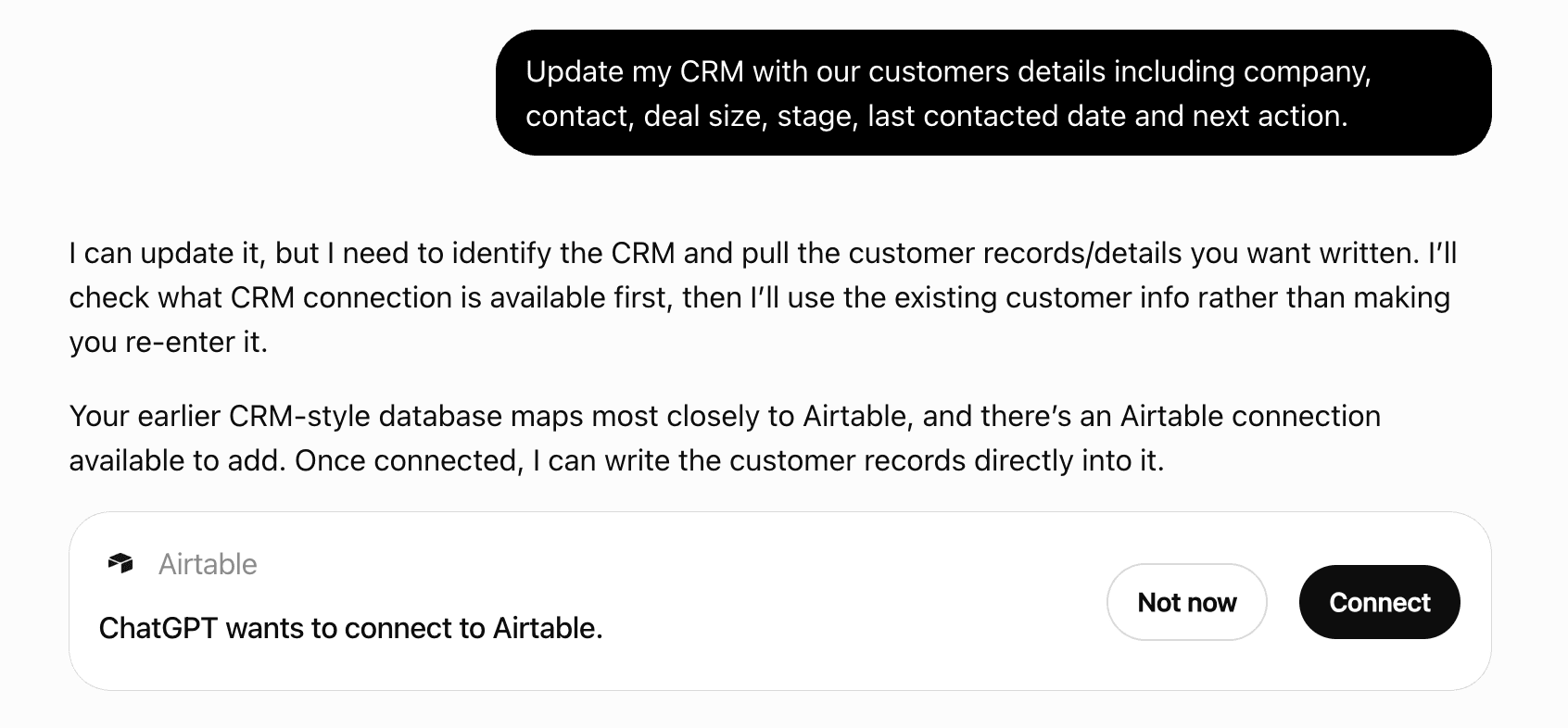
Get alerts for Automo
Get updates when Automo’s Discoverability Score or category rank changes.
Competing in ChatGPT AI Workflow Automation & iPaaS Platforms
View Category165 tools agents can invoke
Put a design on one of the workspace's paired Automo Screens. The design must already be shared as 'anyone with the link' (its public Screen Link is what the TV plays); this tool never changes a design's access settings. Get screen ids from list_screens.
add_design_to_screen
Add a logo, image, graphic element or font file to Brand Hub from a URL, and optionally attach it to a brand kit. Upload the file first (upload_file, or import_asset_from_url for something on the web) and pass the URL it returns. Give it a `description` saying when to use it — that description is what the connector and the editors read when choosing between two logos. Use asset_class 'logo' for logos; get ids back from get_brand_kit and search_brand_assets.
add_brand_asset
Add a category to a venue's menu — Starters, Mains, Drinks. Items are filed into categories; get_menu shows the ones that already exist so duplicates are avoidable.
create_menu_category
Add one item to a venue's menu with its price (in the venue's currency), optional category, description, SKU, dietary notes and allergens. One item per call — check get_menu first so the same dish is not added twice.
create_menu_item
Leave a comment on a project, anchored to a spot, or reply to an existing comment — the reverse of list_project_comments. Use it to flag something back to a human ("couldn't find that element", "done — please review"). It writes to the editor's own comment store, so it shows up in the editor exactly where a human comment would, and appears authored by Claude. A video comment needs anchor.time_ms; a spreadsheet comment needs anchor.sheet_id + anchor.a1; document and design/website/email anchors are optional. A reply (reply_to) inherits its parent's anchor.
add_project_comment
Add a text, image, video, rectangle, circle or path element to a page of a design, website or email project. Rectangles/circles draw buttons, card fills, colour bands and rules (a thin rectangle is a line). Paths draw everything else a designer would draw in Illustrator — icons, logos, custom shapes, illustrations — as real editable vectors: pass SVG path data in path_data (page pixels, or an icon's own space with view_box) with a fill and/or a stroke, and omit x/y/width/height to place the path at its own bounds. Position and size are in pixels from the top-left of the page. Styling: every element takes shadow, blend_mode, flip_horizontal/flip_vertical and skew_x/skew_y; fill takes a CSS gradient string as well as a colour; shapes and paths take fill_opacity/stroke_opacity and dashed strokes (stroke_dash, stroke_cap, stroke_join, stroke_alignment); text takes text_path (arc, circle, wave); images take image_crop, image_filters (photo adjustments) and image_mask (clip to a circle, hexagon…). Omit anything you don't want to set — the editor's own defaults apply. Use get_project_elements first to see the page ids and how big the page is. When you're done building a design (after your LAST write), set_design_thumbnail stores the preview image the project card shows.
add_element
Add many elements to one page of a design, website or email project as a single atomic batch write — the batch form of add_element, with the same per-element fields. PREFER this over repeated or parallel add_element calls: every single write re-reads and re-writes the whole design, so rapid-fire calls can overwrite each other and a call can report added:true while a concurrent write silently loses its element. One batch keeps stacking order exact (elements stack bottom-to-top in array order) — build a multi-path graphic (a logo, an illustration) as one batch so its parts land in order — and it is all-or-nothing — if any element is invalid, nothing is saved and the error names the offending index. The response carries design_elements/design_pages totals so you can confirm the count without reading back; pass response: "ids" to get back only the new element ids instead of every element in full. To repeat a finished page, use duplicate_design_page rather than re-sending its elements. Split bigger builds across sequential batches, passing expected_version each time. When you're done building a design (after your LAST batch), set_design_thumbnail stores the preview image the project card shows.
add_elements
Add an internal note to a support ticket — visible to the team on the ticket, never sent to the customer. This is how you hand your findings to whoever will reply. It is recorded as written by AI, not by a colleague.
add_ticket_note
Add one or more blank pages to a design, website or email project. New pages have NO background (transparent) unless you pass background_color — a page background prints as a solid rectangle on transparent-PNG exports. Each page can have its OWN size (width/height in pixels) — mixed-size documents are fully supported by the editor — and defaults to the size of the page it is added after (or the last page). Use get_project_elements for existing page ids; new pages are appended after after_page_id, or at the end. Combine with create_blank_project (which always starts with one page) to build multi-page documents at any exact size.
add_design_page
Align elements on a design the way the editor's align buttons do. One element aligns to its page (or to the frame or section it is inside): left, center, right, top, middle or bottom. Two or more align to each other along their joint bounds — left brings them to the leftmost edge, center to the shared centre line, middle to the shared midline. The elements must share a container (all directly on the page, or all in the same group); to line up whole groups, pass the group ids. Returns the ids that moved.
align_elements
Change who can see a media-library folder: mark it confidential or open it back up to the workspace, and limit it to specific groups. Opening a folder exposes everything already inside it to everyone, so state the intent before calling. Owner or admin only.
set_folder_access
Check the status of a generate_video_clip job. While it runs, returns status 'processing' — poll every ~20s. On completion returns the permanent video URL and (when the credential can write files) registers the clip in the media library so it shows up in list_files and can be used in video projects.
get_video_generation
Check whether a design prints correctly as a given print product: whether the page's physical size matches the product's print area (the editor's own fit check — fits as is, needs one uniform resize, or needs cropping or margins, with the fixes the print wizard offers), which text, logos and other readable elements sit inside the safe zone where trimming may cut them, and which backgrounds and pictures reach the page edge without running into the bleed. Reads the design and the catalog and changes nothing. Image resolution is checked by the editor's print wizard, which reads each picture's real pixels.
check_print_fit
Create a brand kit in the workspace, with its colours, fonts, and written guidelines. Give each colour a `role` (primary, background, secondary, accent, text) — that is what makes the rest of the connector and the editors use it correctly. Fonts take a role too (heading, body, …). Logos and images are attached afterwards with add_brand_asset. Setting is_default makes this the kit everything uses when no kit is named, and clears the flag on the previous default.
create_brand_kit
Create an event on your own calendar, optionally inviting people — workspace members by id, anyone by email; Automo emails every invitee an invitation they can accept or decline. Blocking time for yourself runs immediately. Inviting people is TWO STEPS, ALWAYS: call once WITHOUT user_approved to see exactly who would be invited — this creates nothing and emails nobody — read it back to the person in full, and only call again with user_approved: true plus that response's approval_token if they explicitly agree.
create_calendar_event
Get a short-lived signed URL to upload a large file's bytes DIRECTLY to storage, bypassing the model entirely — the way to add video too big for import_asset_from_url. Steps: (1) call this with the filename and mime_type; (2) HTTP PUT the raw bytes to the returned upload_url with header 'content-type: <mime_type>'; (3) call finalize_upload with the returned path to register it in the media library and get the public URL. Pass folder_id here to file it; when omitted on a personal credential, finalize files it under your own My Files folder instead of the shared library root, and a shared service token still files into the workspace library root.
create_upload_url
Create a new document in the workspace from an HTML `content` body (headings, paragraphs, lists, tables, links, bold/italic — the editor parses standard HTML). Returns the new document's id and an edit_url that opens it in the Automo document editor. Styling contract: put font-family in an INLINE style — <span style="font-family: Poppins">, on <p>/<h1>-<h6>/<blockquote>, or on a table cell <td>/<th>. A font on <font face>, a <div> wrapper, <b>/<a>, a list item, or a CSS class in a <style> block is NOT preserved by the editor and is dropped silently. Get exact family names from get_brand_kit. The response returns a `warnings` array when the body uses a placement that will not survive.
create_document
Create a public view link for a design, website or email project and return its URL. Anyone holding the URL can open the project without signing in, so say clearly that the link is public when handing it over. Optional expiry; downloads and comments are off unless asked for. revoke_share_link turns a link off again.
create_share_link
Create a new spreadsheet in the workspace from a compact `rows` (a row-major 2D array of cell values for ONE tab — the easy way to build a table; a string starting with = is a formula), from `tabs` (several named tabs in one go, each with its own rows and optional column pick-lists/dropdowns; formulas may reference other tabs, e.g. =VLOOKUP(E2,Icons!A:B,2,FALSE)), or from a full editor `data` document (e.g. one previously returned by get_spreadsheet). To bring in an existing .xlsx or .csv file, use import_spreadsheet_file instead. A spreadsheet whose first row holds column headers can feed run_batch_generate directly. Returns the new spreadsheet's id and an edit_url that opens it in the Automo spreadsheet editor. Styling contract: a cell has NO inline colour or font. Appearance lives in a top-level `styles` registry and each cell points at it — styles: { s1: { background: "#FEF3C7", textColor: "#111827", bold: true } } with `styleId: "s1"` on the cell. Colour written directly on a cell is stored but never rendered. The response returns a `warnings` array when the workbook styles something in a way the editor will not show.
create_spreadsheet
Open a new support ticket on this workspace's desk: a subject, a description, and who it is for (customer name and email), with optional priority, tags and CRM contact/company links. The desk's own intake runs on it — routing, auto-assignment, classification — and the creation is recorded on its timeline. This files a ticket; it never sends anything to the customer.
create_ticket
Set up a new POS venue — a store, restaurant, café or other site. Takes its name and optionally the business type, currency, timezone and contact details. The venue starts with an empty menu; build it with create_menu_category and create_menu_item.
create_venue
Create a new editable video project from a video template (from list_video_templates). Clones the template's composition with template lineage preserved, so any editing restrictions its author set keep applying. Returns the new project's id and an edit_url that opens it in the Automo video editor; use get_video_project/update_video_project to iterate on it.
create_video_from_template
Create a new video project in the workspace from either a `storyboard` (recommended: scenes with media + durations, captions with word timings, text overlays, image overlays like a brand logo/end-card, music/voiceover) or a raw editor `timeline` document. Pass brand_kit_id to style storyboard text with the brand's font and color. All media must already be uploaded https URLs (use search_brand_assets / search_dam_assets / upload_file). Returns the project id and an edit_url that opens it in the Automo video editor.
create_video_project
Create a new Automo Connect campaign brief (who to reach, what to say, on which channels). Created as a DRAFT — it does not start working until someone activates it in Automo. Returns the new campaign id.
create_campaign
Create a new empty project in the workspace, in whichever editor the person asked for. Pass `mode`: 'design' (default), 'website', 'email', 'presentation' (slide deck / Slides), 'pro_design' (Pro Design WebGL canvas), 'figma' (Figma-layout spread), 'prototype' (interactive prototyping), 'whiteboard' (infinite brainstorming board), or 'photo' (photo editor). Give a canvas size as a named preset (e.g. instagram_post, a4_portrait) OR explicit width+height — not both; modes with a natural size (website 1440×900, email 600 wide, presentation 1920×1080, whiteboard 4000×4000, prototype 390×844, photo 1920×1080) default it if you pass none. Returns the new project's id and an edit_url that opens it in the right editor — give the person that link. A blank project is EMPTY until you fill it: canvas modes take add_element, and website/email take update_website. Don't hand over a link to a shell you haven't filled. Canvas designs also have no thumbnail until someone opens them — after filling one, call set_design_thumbnail once (after your LAST element write) so the project card shows a real preview. A print product from list_print_products (print_product_id, optional print_area_id) sizes the canvas to its print area so the design prints at that size, and check_print_fit verifies the finished design against it.
create_blank_project
Add one company (account) to the workspace CRM. Search first with search_companies — duplicates are not merged. Returns the new company's id so you can attach contacts and deals to it.
create_company
Add one person to the workspace CRM. Search first with search_contacts — this does not merge duplicates, and a second record for someone who already exists is worse than no record. Needs at least a name or an email. Creates a single contact; there is no bulk import.
create_contact
Open a deal in the workspace CRM against a company and/or a contact. Use list_deals first to see which stage names this workspace actually uses — stage is free text and an invented one silently creates a column nobody is looking at.
create_deal
Create a folder in the workspace media library (DAM), optionally inside an existing one, so uploads can be filed instead of landing loose. Returns the folder's id for use with upload_file. If a folder with the same name already exists in the same place, that one is returned instead of creating a duplicate.
create_folder
Create a folder on the projects page (the same folders /create/projects shows) and get its id. START every task that will produce several projects — design variants, an ad set, best-of-N videos — by creating ONE folder named after the task, then pass its id as folder_id to create_blank_project, create_project_from_template, create_video_project and create_video_from_template so every variant lands together. Folders are personal to the acting user. Returns an existing folder instead of a duplicate when one with the same name already exists at that level.
create_project_folder
Create a new project in the workspace from a template (from list_templates). Clones the template's content into a new editable project, preserving any editing restrictions its author set. The canvas size comes from the template. Pass brand_kit_id to record the brand kit on the project (open it in the editor to apply the brand's colors/fonts/logo). Returns the new project's id and edit_url — a link the person opens to edit the design themselves (they sign in if they aren't already). Give them that link.
create_project_from_template
Add one task to the workspace. Leave assigned_to empty unless the person told you who it is for — assigning a task puts it in someone's queue and can trigger their reminders. Link it to a contact, company or deal when it came out of that conversation.
create_task
Remove an event you organise from your calendar; invitees lose it from theirs too. TWO STEPS, ALWAYS: call once WITHOUT user_approved to see exactly what would be removed — this deletes nothing — read it back to the person, and only call again with user_approved: true plus that response's approval_token if they explicitly agree. Automo does not email invitees a cancellation — offer send_email if they need one. Repeating series must be changed in Automo, not here.
delete_calendar_event
Move a design, website or email project to the trash — use it to clean up test or stub projects. It stops showing in list_projects and the app (recoverable from the app's trash). Pass the project_type that matches how it was created (default design). For video, spreadsheet or document projects, delete them from the Automo app instead. Irreversible from the connector's side.
delete_project
Delete a file from the workspace media library (DAM) — removes both the stored object and its library entry. Takes a file id from list_files or search_dam_assets. This cannot be undone through the connector, so read the library first and be sure of the id. Files in another member's personal folder or a restricted folder can't be deleted here.
delete_file
Remove an element from a design. Takes an element id from get_project_elements. Nothing else on the page moves to fill the gap. This cannot be undone through the connector, so read the design first and be sure of the id.
delete_element
Space three or more elements evenly, horizontally or vertically — the editor's distribute buttons. The outermost two stay where they are and the rest are placed between them with equal gaps. The elements must share a container (all directly on the page, or all in the same group). Returns the ids that moved.
distribute_elements
Create a marketing email sequence as a DRAFT: its name, sender, and an ordered list of steps, each with a delay, a subject and an HTML body. The connector cannot activate a sequence — an active sequence emails enrolled contacts on a schedule, unattended, so the person reviews and turns it on in Marketing. Nothing is sent by this call.
create_email_sequence
Copy elements on a design as new elements with fresh ids, nudged 32 pixels down and right, named "… Copy" and placed on top of the stack — the editor's Duplicate. A group is copied with everything inside it, and references inside the copy point at the copies. Returns the new top-level elements and the old-to-new id map, so a copy can then be moved or restyled with update_element (a row of cards is one card, duplicated, then aligned and distributed).
duplicate_elements
Copy a page — with every element on it — within a design, website or email project, or into another project in this workspace. One call replaces re-sending a page's elements: build one finished page (a daily menu, a slide), then duplicate it as many times as you need and change only what differs with update_element. project_id is the project that RECEIVES the copies; to copy from a different project, pass that one as source_project_id. The copies get new ids (read them with get_project_elements) and keep the source page's size and background. Copies go after after_page_id, else right after the source page in the same project, else at the end.
duplicate_design_page
Export a design project to a file in the media library: PNG or JPG (one file per page), a multi-page PDF, or an animated GIF (one looping clip per animated page), rendered by the editor's own canvas renderer at print resolution. dpi (72-300; default 150 for images, 300 for PDF) sets the resolution on the design's real physical size. For print: bleed_mm extends the sheet past the trim line with the page background continued and artwork past the edge kept, and crop_marks adds trim marks outside the bleed — the same marks the editor's PDF Print draws. The PDF's page size is the physical sheet (trim + bleed + marks) in millimetres, pages of different sizes keep their own, and it is a raster PDF at the chosen dpi; vector PDF and CMYK come from the editor's PDF Print. transparent_background (PNG only) leaves the page background out. format gif plays each page's entrance animations (element animation from update_element, page defaults from set_page_animation) as a looping GIF at the page's own pixel size: size_px is the longest edge (160-1080, default 720), fps 5-20 (default 15), duration_s the clip length (0.5-10; default the animation plus a one-second hold, up to 7 s); pages with nothing animated are skipped and listed, and dpi/bleed/crop marks do not apply. Up to 10 pages per call (page_ids picks which; the default is all pages). Returns each stored file's url and open_url, plus the effective dpi if a very large sheet had to be scaled down. Works on canvas design projects — not website, email, video or document projects.
export_design
Fetch the full content behind one search result by its id (from the search tool), returning its title, text, url and metadata. Reaches only what this connection's permissions already allow — an id for something it cannot read answers as not found.
fetch
Register a file uploaded via create_upload_url in the workspace media library, after you have PUT its bytes to the signed URL. Pass the path from create_upload_url (plus the same filename, mime_type and folder_id). When folder_id is omitted on a personal credential, it is filed under your own My Files folder instead of the shared library root; a shared service token still files into the workspace library root. Verifies the object landed in storage and returns the stored file's id and public URL.
finalize_upload
Find slots in your own calendar where a meeting of a given length would fit, inside working hours and around everything already booked. Use this before proposing a time, instead of listing the whole diary and working out the gaps. It only reads — booking is create_calendar_event.
find_free_time
Find people on this workspace's team by name or email and get their member id, which the tasks, calendar and free/busy tools take for assignees and invitees. Returns name, work email, role and status for up to 25 members. These are teammates, not CRM contacts. When several people match, the answer lists them all.
list_workspace_members
Generate a short AI video clip (text-to-video, or image-to-video when reference_images are given). COSTS CREDITS — this tool is consent-gated: calling it WITHOUT user_approved returns a credit estimate for every available model and does NOT charge or generate. You MUST then show the user the estimate, let them pick the model (or confirm the default), and only call again with user_approved: true after the user has explicitly agreed in their own words. Never set user_approved on your own initiative. Models: seedance-1.5-pro (default; up to 2 reference images, 480p/720p/1080p); seedance-2.5 (up to 10 reference images, 480p/720p); seedance-2-fast (animates one first-frame image); wan-2.5 (one reference image, 5s or 10s); veo-3.1 (includes audio, up to 3 reference images, fixed duration); sora-2 (text-to-video and image-to-video). Returns a job_id — poll get_video_generation every ~20s (clips take 1–3 minutes). The finished clip lands in the media library and can be placed in a video project scene via its URL.
generate_video_clip
Generate an image from a prompt, or edit/restyle an existing one when reference_images are given (a product on a new background, a photo in the brand's illustration style, a sky changed to dusk — prompt-guided, whole-image; there is no masked fill). COSTS CREDITS — this tool is consent-gated: calling it WITHOUT user_approved returns a credit estimate for every available model and does NOT charge or generate. You MUST then show the user the estimate, let them pick the model (or confirm the default), and only call again with user_approved: true after the user has explicitly agreed in their own words. Never set user_approved on your own initiative. Models: imagen-4-fast (default for text-to-image; photographic); imagen-4 (Imagen 4; photographic and illustrative images); gpt-image-1.5-kie (default when reference_images are given; prompt-guided edits and text in images, up to 5 references); flux-2-pro (image-to-image and style transfer, up to 8 references); seedream-4.5 (illustrative and poster styles); nano-banana-2 (concept images). Returns a job_id — poll get_image_generation every ~10s (images take 10–60 seconds). The finished image lands in the media library and can be placed on a design with add_element (image_src) or used as a page background.
generate_image
Fetch a brand asset (logo, image, graphic) by id and return its actual content — an SVG's source as text, or a raster image inline — so you can embed it even when your sandbox can't reach the asset's URL (the recurring CDN/prod-api egress block). Get ids from get_brand_kit or search_brand_assets. Best for logos and graphics; large media (video) comes back as a URL instead.
get_brand_asset
Batch Generate check: list which layers of a design are linked to which spreadsheet columns (made with link_elements_to_columns, the editor's Batch Generate panel, or {{Column}} tags typed in text), and which fillable text/image layers are NOT linked. Pass a spreadsheet (spreadsheet_id, file_id from the media library, or file_url; optional sheet_name) to also check it against the data: linked columns missing from the header row, columns nothing uses, and unlinked layers whose name matches a column (suggested_links). ready is true when every link has a column in the data. Run this before run_batch_generate.
get_design_links
Read one document in full, including its body. `content` is the stored body and `content_format` tells you what it is (html, content_blocks, or tiptap_json). Keep the returned updated_at — update_document requires it as expected_updated_at so edits can't clobber someone working in the editor. edit_url opens it in the Automo document editor.
get_document
 Recommended guideHow to get your ChatGPT Plugin suggestedFollow the practical steps agents use to find, shortlist, and choose your Plugin.Read guide
Automo ChatGPT Plugin FAQ
How the directory, categories and Discoverability Score work.
Read the methodologyHow do I improve Automo's ChatGPT Plugin discoverability?
The levers are the listing surface agents actually read: names, descriptions, keywords, tool metadata, and registry health. Which lever matters depends on where discovery breaks, which is what continuous measurement shows.
What are Automo alternatives on ChatGPT?
As of 2026-10-07, Automo competes with AB Projects, Ace Work, Adagio, Adobe CX Enterprise Coworker, AutoRFP.ai, Cargo, Carly, Cоmpоsiо and 15 more in ChatGPT AI Workflow Automation & iPaaS Platforms, ranked by public Discoverability Score.
Where is this profile measured?
This profile uses the geography attached to the latest public registry snapshot: US. Locale tags are intentionally omitted.