
Get Instant Access
Enter your email to read the full resource and access all our free content.
By signing up, you'll also join our newsletter. We'll occasionally send you updates, tips, and other useful resources. You can unsubscribe any time.
How to Build a Travel ChatGPT App with Zero Code (And Get It Discovered)
The Opportunity
People are planning trips inside ChatGPT. Not just asking questions — actually building itineraries, comparing budgets, checking visa requirements.
And the travel industry is starting to notice.
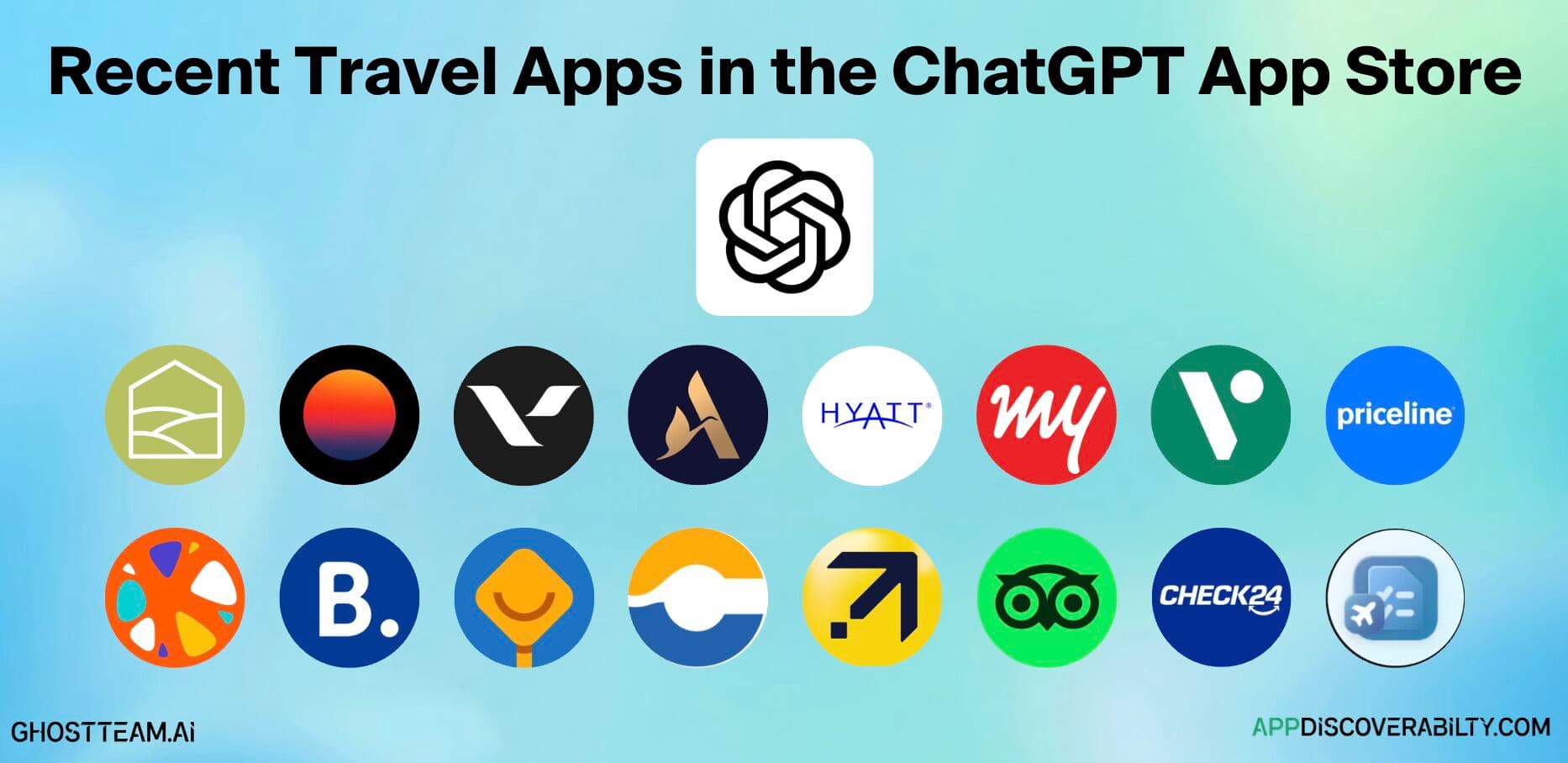
Right now, 11% of all apps in the ChatGPT App Store are travel apps. That's one of the largest verticals in the store. Companies like Hyatt, Voyage Privé, and TheHotelsNetwork have already launched. Expedia is in there. The big players are moving.
But here's what's interesting: most of the travel apps live right now are brand-specific. Hyatt helps you book Hyatt hotels. Voyage Privé shows Voyage Privé deals. They're built around their own inventory.
The real opportunity? Use-case specific apps that serve a need regardless of brand.
Think about it. Someone opens ChatGPT and types: "Create me a budget for a trip to Brazil next year for Rio Carnival."
That's intent. Pure, high-quality intent. And right now, there's almost nothing purpose-built to capture it.
A travel budget calculator. A local experience finder. A visa and travel document checker. A destination matcher. These are apps that don't need a hotel chain behind them — they just need to show up when someone has the intent.
What the Data Shows
We track every app in the ChatGPT App Store at AppDiscoverability.com. Here's what we're seeing in travel right now.
The landscape: 226 apps total in the store. Travel makes up roughly 11% — one of the biggest categories. But the average discoverability score across all apps is just 45 out of 100. Most apps are hard to find even if they're good.
Who's doing well: TheHotelsNetwork scores 73/100 — one of the highest in the store. They just launched a direct booking experience inside ChatGPT, powered by MCP. Hyatt sits at 68. Voyage Privé at 66. These are companies that have invested in their metadata, keywords, and profile completeness.
The gap: Most travel apps score significantly lower. Poor descriptions, missing keywords, incomplete profiles. The apps exist but users can't find them. That's a problem — and an opportunity for anyone building something new.
Keyword patterns: When you look at what travel-related keywords people are searching in the App Store, the demand is there. Budget planning, trip itineraries, destination recommendations, visa information. These are prompts people are already typing. The question is whether an app shows up to serve them.
You can explore all of this yourself — search any app, see its score, check keyword rankings — at appdiscoverability.com/score.
How to Build a ChatGPT & MCP App
Two paths. Pick the one that fits your comfort level.
Option 1: Pure No-Code (With Fractal)
No terminal. No code editor. No dependencies. Just prompting.
I used Fractal to go from idea to live ChatGPT app in under five minutes. They have a 20% off code you can use here: FRAC20
Here's the actual process.
Step 1: Start With a Clear Use Case
Before you touch any tool, know exactly what your app does. Not "a travel app" — that's too vague. A travel budget calculator that takes destinations, dates, travel style, and group size, then returns a realistic budget breakdown.
The more specific you are, the better the result.
Step 2: Write a Simple Prompt
I went to Fractal and wrote one prompt:
"I want to build a travel budget calculator. Someone enters their destinations, dates, travel style, and group size. It returns a realistic budget breakdown with estimated costs for flights, accommodation, food, activities, and transport."
That's it. No technical specs. No wireframes. Just a clear description of what the app should do.
Step 3: Use Cases and Intent Mapping
This is where Fractal gets interesting. The first thing it does is come up with specific use cases for your app. For the travel budget calculator, it generated prompts like:
- "What are some money saving hacks for traveling in Portugal?"
- "I'm going to Tokyo with two people. What's the budget range?"
- "I'm planning a trip to Rio Carnival. Create me a full budget."
These are the exact intents people are typing into ChatGPT. Fractal maps your app around them.
Once the use cases look right, you approve them.
Step 4: Tools Get Built Around the Intent
This is important to understand. ChatGPT apps are completely intent-based. When someone types a prompt, ChatGPT picks the tool that serves that intent. It's not a website where everything is visible at once — it's narrow and specific.
Fractal confirms the tools it's going to build based on your use cases. For the travel budget calculator, it created:
- Calculate Budget — the core tool. Someone says "what's my budget for Tokyo?" and this handles it.
- Get Destination Tips — local insights and travel advice.
- Compare Travel Styles — budget vs mid-range vs luxury breakdowns.
Each tool maps to a specific intent. The right tool fires when the right prompt is typed. That's how ChatGPT apps work.
You also get a design preview at this stage — colour coding for different budget categories (green for budget totals, orange for accommodation, etc.). You can adjust the design later once it's live.
Step 5: Approve and Build
Click approve. Fractal takes the plan and executes it.
What's happening behind the scenes: Fractal's agents are trained on the OpenAI SDK and use specialised skills to build ChatGPT apps. It creates a full plan file, then builds and deploys the app — tool registration, UI components, all of it.
The build takes about a minute. Once it's done, you get a live preview — you can test the app on desktop, iPad, and mobile without putting it into ChatGPT yet.
I tested it with "I'm going to Tokyo, five days, two people, mid-range budget" and got a full daily breakdown — accommodation, food, activities, transport — with expand views and money saving tips at the bottom. Working app, from one prompt.
Step 6: Iterate the Design
This is where it gets fun. You can change anything by just prompting.
I wanted a cleaner UI, so I took a screenshot of an app I liked (Replit — simple branding, orange and black and white) and pasted it into Fractal with: "I like the design of this app. Can you update the UI design to be more in line with this?"
Fractal understood the design intent and rebuilt the UI. Cleaner layout, simplified colours, total for the group and total per person. Much better than the multicolour version it started with.
You can go back and forth as many times as you want. Want emojis? Ask for them. Want a different colour scheme? Screenshot something you like and paste it in.
Step 7: Improve the Results
The first version gave generic tips — "buy groceries at markets" level stuff. Fine for a demo, but not good enough for a real app.
I told Fractal: "I want to use ChatGPT's best models to improve the results I'm getting back. Right now they're very basic. Use search-related capabilities to get better, more current information."
Fractal updated the tool schema so the server does real research using ChatGPT-4o with search browsing before returning results. The difference was massive — for Portugal, it came back with specific, accurate local tips that I could verify myself (I'm based in Lisbon).
This matters. If your app doesn't require its own API or dataset, you can still get high-quality results by leveraging ChatGPT's own models for real-time search. Fractal also supports API integrations and mock data if you do have your own data source.
Step 8: Deploy and Test in ChatGPT
Click deploy. Fractal deploys the MCP server to production and gives you a URL.
Then go to ChatGPT:
- Open Settings → Apps → Advanced Settings → Create App
- Select "No Auth" (if your app doesn't require login)
- Paste your MCP server URL (it ends in /mcp)
- Name your app and click Create
Important: Make sure you're in Developer Mode (Settings → Advanced Settings → Developer Mode). This lets you add unverified connectors — it's your own MCP server, so it's trusted.
I tested it live in ChatGPT with: "I'm going to visit Singapore towards the end of April for a week on a business trip, and I want to understand the cost."
It called the budget tool, loaded the full breakdown by budget type — food, accommodation, activities — with specific, location-aware money saving tips. Much better than the generic results from the first version.
That's the whole process. One prompt to live ChatGPT app in under five minutes.
Option 2: Low-Code (With Cursor)
This gives you more control while still being beginner-friendly. If you've never coded before, don't worry. You're not really coding. You're prompting.
That's the whole trick with vibe coding. You describe what you want in natural language. The AI writes the code for you. The skill isn't Python or JavaScript. The skill is clarity.
For a travel app, you'd use a ChatGPT app building framework like Skybridge by Alpic or Sunpeak. Without a framework, you're building on the raw SDK — no hooks, no type safety, no dev tools. Frameworks fix all of that.
The best part: you can feed your framework's docs directly to your AI coding agent. So every time Cursor writes code, it follows the correct patterns automatically.
Tools You'll Need
- Cursor — AI-powered code editor
- Node.js — just install it, you won't touch it
- A ChatGPT app framework — Skybridge, Sunpeak, or similar
- MCP Jam — for testing locally
- ngrok — for connecting to ChatGPT
- GitHub — for storing code
- Alpic — for hosting
Sounds like a lot. But you set these up once and never think about them again.
Phase 1: Set Up Your Framework
Install your chosen framework and get the starter template. This gives you:
- Server components for your MCP tools
- React widgets for your UI
- Dev environment with hot reload
- All the right patterns already in place
Most frameworks include docs you can feed to your AI coding agent so it builds things properly.
Phase 2: Planning
Start in "ask mode" in Cursor. Don't let the AI start coding yet.
Describe your travel app in detail. What should it do? What's the experience?
"I want to build a travel budget calculator for ChatGPT. The user enters a destination, dates, number of travelers, and travel style. The app returns a detailed daily budget breakdown with accommodation, food, activities, and transport costs. It should also include money-saving tips specific to that destination."
Let the AI ask clarifying questions. Answer them. Then switch to "plan mode" and ask it to create a full build plan.
You'll get a structured breakdown:
- What tools the app needs (calculate budget, destination tips, compare styles)
- What UI components to build (budget cards, expandable sections, savings tips)
- What logic to implement
Review this carefully. The better your plan, the fewer bugs later.
Phase 3: Building
Switch to "agent mode" and say "execute the plan."
Because you've fed your framework's docs to Cursor, it writes code that follows all the right patterns:
- Proper tool registration
- React widgets with the right hooks
- Widget-to-model sync built in
The AI writes all the code. Hundreds of lines. In minutes. You don't need to understand any of it.
Phase 4: Testing Locally
Run your app with MCP Jam. This simulates the ChatGPT environment so you can see exactly what your travel app looks like.
Good frameworks give you hot reload, so changes appear instantly. No refresh loops.
You'll probably find bugs. That's normal. Copy the error. Paste it to the AI. It fixes it. This loop takes 5-6 iterations usually. Keep testing until it works.
Phase 5: Testing in Actual ChatGPT
Use ngrok to create a public URL for your local app. Go to ChatGPT → Settings → Apps → Create App (in developer mode). Paste your ngrok URL + /mcp.
Test your travel budget calculator in a real ChatGPT conversation. Try different destinations, group sizes, budget types. Make sure the tools fire on the right intents.
Phase 6: Hosting and Deployment
Push your code to GitHub. Connect it to Alpic for hosting (they specialise in MCP hosting with native analytics). Add your API keys as environment variables. Deploy.
Alpic gives you a permanent URL you can use for submission.
Phase 7: Submission
Go to platform.openai.com. Create a new app submission with:
- 64x64 SVG icon
- 3 screenshots (706px wide)
- Demo walkthrough video
- Tool annotations
Fill in the metadata. Submit for review. That's it — you've built and submitted a travel ChatGPT app.
Other Travel App Ideas
The budget calculator is one use case. But the travel vertical is wide open. Here are ideas that could capture real intent inside ChatGPT:
- Local Experience Finder — "What should I do in Lisbon that isn't touristy?" People ask this constantly. Build an app that surfaces local spots, hidden restaurants, neighbourhood guides.
- Visa & Travel Document Checker — "Do I need a visa for Japan?" Enter your passport country and destination, get a clear answer on visa requirements, processing times, documents needed.
- Destination Matcher — "Where should I go in March for under $2,000?" Takes your budget, dates, preferences (beach, culture, adventure), and matches you to destinations.
- Packing List Generator — "What should I pack for two weeks in Southeast Asia?" Tailored packing lists based on climate, activities, duration.
- Flight Deal Tracker — "Find me cheap flights from London to anywhere in April." Surfaces deals based on flexible criteria.
Each one of these targets a specific intent that people are already typing into ChatGPT. The app that shows up wins the funnel.
Getting Your App Discovered
Building the app is step one. Getting it found is step two — and honestly, it's the harder part right now.
The ChatGPT App Store is the only distribution channel for your app. There's no Google search. No ads. No paid placement. Until organic discovery gets turned on, the App Store is it.
That means your metadata matters more than anything:
Your description — Make it specific. Not "a travel app" but "a travel budget calculator that breaks down costs for flights, hotels, food, and activities for any destination." The keywords in your description are how the store matches you to user queries.
Your tool annotations — These tell ChatGPT when to surface your app. Get them right and you show up when someone types a relevant prompt. Get them wrong and you're invisible.
Your profile completeness — Developer name, quality screenshots, clear icon. Our data shows that apps scoring high on profile completeness consistently rank better.
Keyword breadth — Don't optimise for one keyword. Travel apps that rank for multiple related terms (budget, planning, itinerary, destination, flights) have significantly higher visibility scores.
We track all of this at AppDiscoverability.com. You can:
- See every travel app live in the store and when it launched at /track
- Check your app's discoverability score at /score
- Explore keyword rankings to see where you stand
- Get daily or weekly updates on new launches via the newsletter
The ecosystem is young. The data is evolving. But the patterns are already forming — and the teams tracking them now will have a significant head start.
Ready to Build?
The travel vertical is wide open. 800 million people use ChatGPT every week, and more of them are planning trips inside it every day. The apps that capture that intent early will own the distribution.
Build your app — Get started with Fractal to go from idea to live ChatGPT app in minutes (20% discount code: FRAC20)
Track your discoverability — See how your app ranks, what keywords you're showing up for, and where to improve at AppDiscoverability.com.
Join the community — We run the largest ChatGPT App and MCP App community on Discord - join here. Builders, developers, and companies all figuring this out together.
Need help with strategy or development? — book a call with our team.
Ready to build your MCP App?
Book a strategy call with our team to understand what ChatGPT & Claude Apps can mean for your business